Vector search in SQLite: using sqlite-vec with Chwilio
Load Alex Garcia's sqlite-vec extension in Chwilio and run real vector search (K-nearest-neighbours, metadata filtering, distance functions) against an ordinary SQLite file. The engine behind semantic search and RAG, in a single file.
Vector search is the machinery behind semantic search, recommendations, and retrieval-augmented generation (RAG). You turn things (documents, images, products) into embeddings: arrays of numbers a model produces so that similar meaning lands at nearby coordinates. Then you ask which stored vectors are closest to a given one. That single question powers “find related articles,” “answer from my docs,” and “more like this.”
sqlite-vec, Alex Garcia’s vector-search extension, brings
that to plain SQLite. No vector-database server, no new service, just a .sqlite file and one
loadable extension. Which leaves exactly one problem on the desktop.
The same gap, again
A GUI SQLite browser that won’t load extensions can’t open a sqlite-vec database in any useful way.
The vector tables are virtual tables that need the extension loaded before you can even read them.
So, like SpatiaLite, vector search in SQLite has been a
command-line-only affair. Chwilio loads sqlite-vec with a few clicks, so you can build,
query, and inspect vector data in a native window. (How Chwilio loads extensions safely.)
Everything below is a real run against a small vec-demo.sqlite, captured from the app.
What sqlite-vec gives you
vec0virtual tables. Declare a vector column with a fixed dimension, likeembedding float[768]. There are alsoint8[N](quantized) andbit[N](binary) vector types.- KNN search.
WHERE embedding MATCH :query AND k = 10returns adistancecolumn, ordered nearest-first. - Metadata, auxiliary, and partition columns. Store regular columns alongside the vector and filter while you search.
- Distance functions.
vec_distance_L2,vec_distance_cosine,vec_distance_hamming, plus helpersvec_normalize,vec_length,vec_type,vec_to_json,vec_slice,vec_quantize_binary. - Runs anywhere. It’s a single self-contained loadable extension with no dependencies.
Step 1: Load sqlite-vec in Chwilio
Unlike a library you compile yourself, sqlite-vec ships prebuilt, for every platform Chwilio
runs on. Grab the loadable build for yours from the
releases page:
# macOS (Apple Silicon)
tar -xzf sqlite-vec-*-loadable-macos-aarch64.tar.gz     # → vec0.dylib
# macOS (Intel)
tar -xzf sqlite-vec-*-loadable-macos-x86_64.tar.gz      # → vec0.dylib
# Windows (x64)
tar -xzf sqlite-vec-*-loadable-windows-x86_64.tar.gz    # → vec0.dll
Each archive holds exactly one file — vec0.dylib or vec0.dll — and that’s the whole install.
This is the easy end of the extension spectrum: a single self-contained binary with no external
dependencies, so there’s nothing to bundle, relink, or put on your PATH. (Compare
SpatiaLite, which arrives as one library plus a couple of dozen
dependencies and needs rather more care.)
Point Chwilio straight at it. Open Extension ▸ Extension Manager (⇧⌘E on macOS, Ctrl+Shift+E on
Windows), click Load Extension…, choose vec0.dylib or vec0.dll, leave the entry point on
Automatic, and scope it to All Databases. On macOS Chwilio preflights it in a helper process
first, including an architecture check so an arm64/x86_64 mismatch is reported rather than crashed;
on Windows it loads directly and diagnoses any failure for you. Either way it then stays loaded
for every connection. vec_version() and the vec0 module are now available in the SQL editor.
Everything from here on is plain SQL, so the rest of this post reads the same on either platform.
Step 2: Build a vector table
Real embeddings are high-dimensional (384 to 1,536 numbers) and come out of a model. To keep this
demo runnable with zero setup, no model and no API key, we’ll use a vector you can read at a
glance: a colour’s [red, green, blue]. The math is identical to “real” vector search; only the
dimensionality and the source of the numbers differ. “Nearest vector” simply means “most similar
colour.”
-- A vec0 virtual table: a 3-D vector column plus two filterable metadata columns
CREATE VIRTUAL TABLE colors USING vec0(
  id     INTEGER PRIMARY KEY,
  name   TEXT,        -- metadata
  family TEXT,        -- metadata: warm / cool / neutral
  rgb    float[3]     -- the vector
);

-- Vectors go in as JSON-array text (or BLOBs / vec_f32())
INSERT INTO colors(id, name, family, rgb) VALUES
  (3,  'Tomato',  'warm', '[255, 99, 71]'),
  (4,  'Orange',  'warm', '[255, 165, 0]'),
  (9,  'Teal',    'cool', '[0, 128, 128]'),
  (11, 'Blue',    'cool', '[0, 0, 255]');
  -- …17 colours in the demo
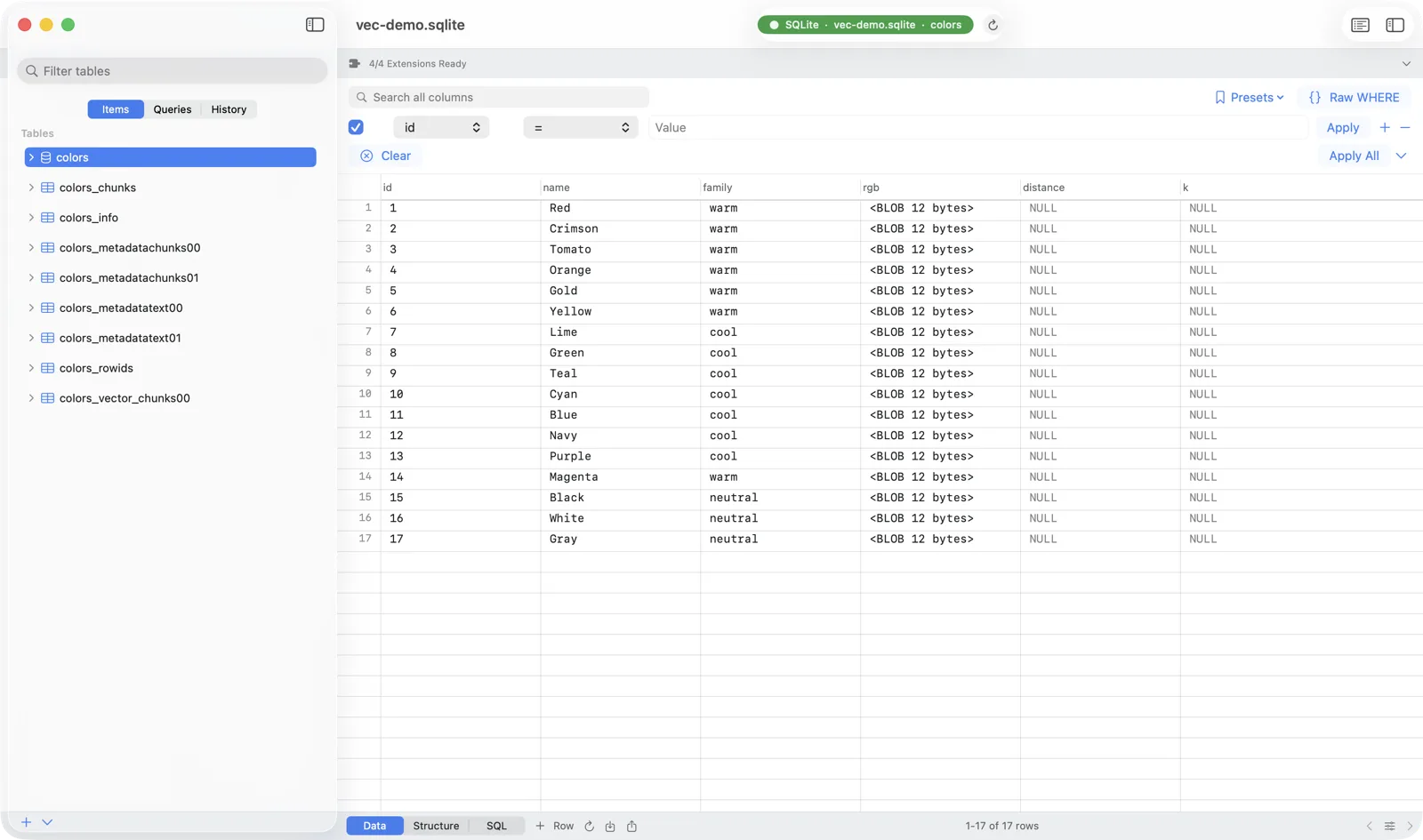
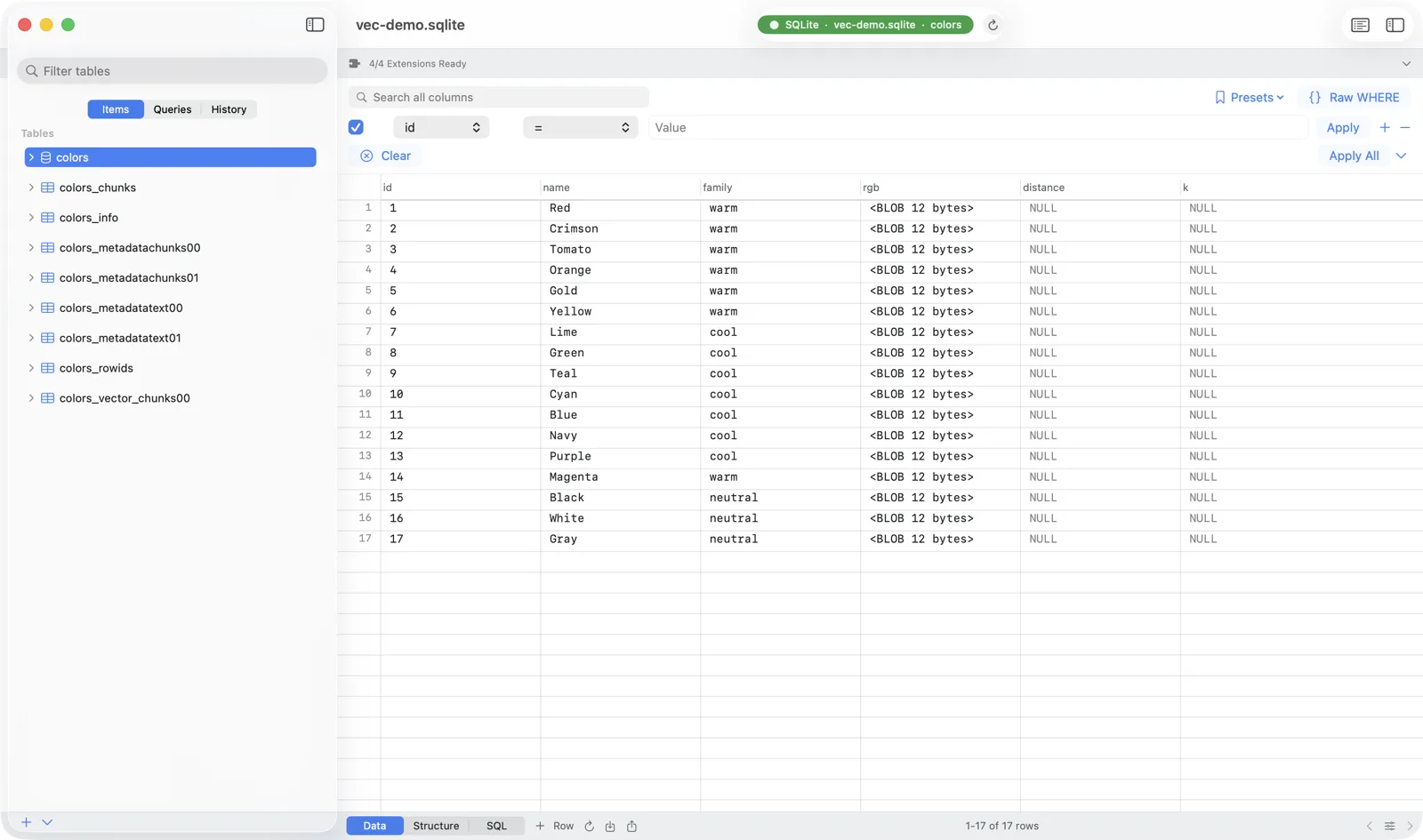
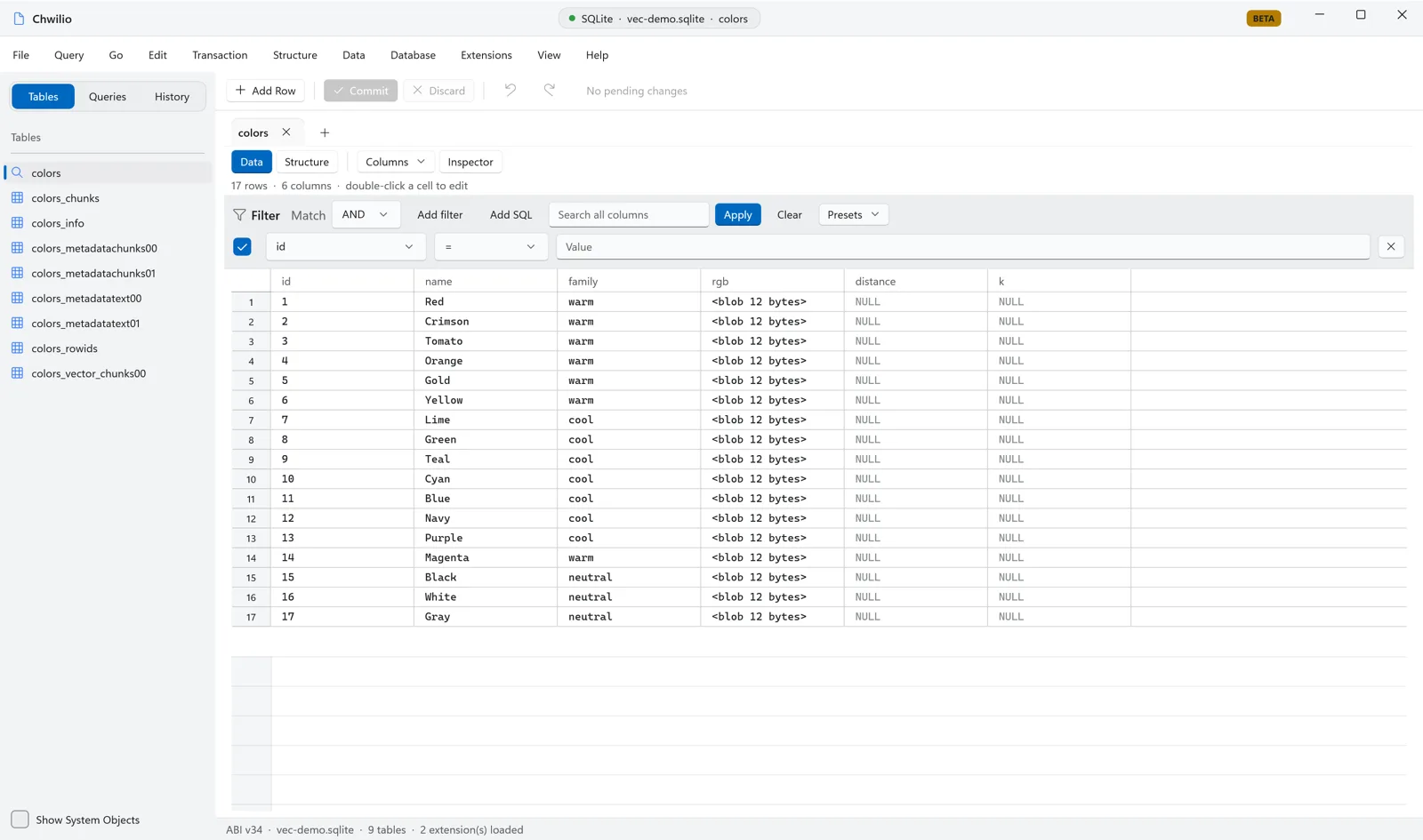
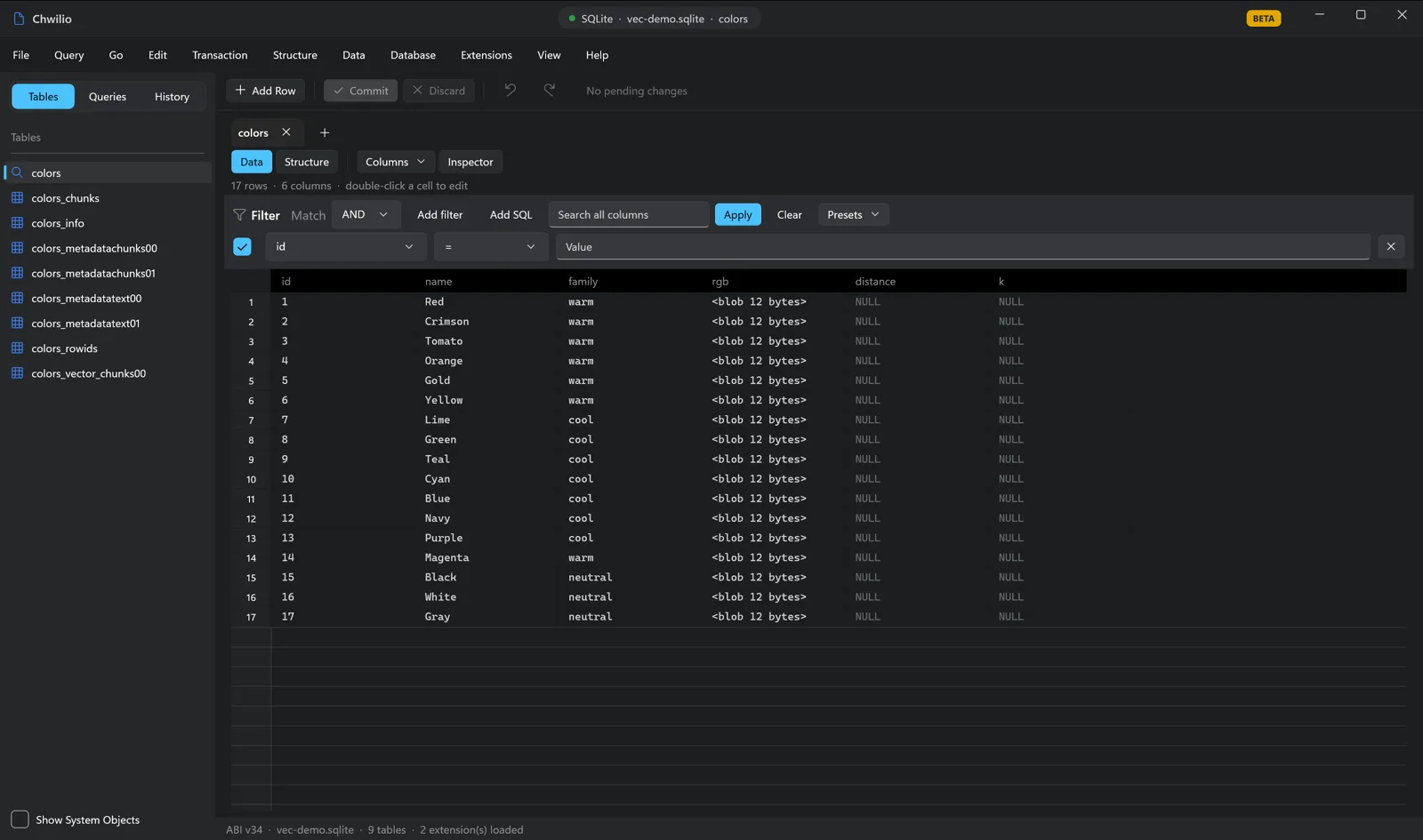
Browse the table and the vector column shows the values Chwilio read back through the vec0 module:
Step 3: K-nearest-neighbours
This is the whole point. Give sqlite-vec a query vector with MATCH, ask for k results, and order
by distance:
-- The 5 colours nearest to a tomato-ish [255, 100, 70]
SELECT name, family, distance
FROM colors
WHERE rgb MATCH '[255, 100, 70]'
  AND k = 5
ORDER BY distance;![Chwilio result grid: the five nearest colours to [255,100,70] — Tomato, Crimson, Orange, Red, Gold — with ascending distance values](/shots/blog/vec-knn-macos-light.webp)
![Chwilio result grid: the five nearest colours to [255,100,70] — Tomato, Crimson, Orange, Red, Gold — with ascending distance values](/shots/blog/vec-knn-macos-dark.webp)
![Chwilio result grid: the five nearest colours to [255,100,70] — Tomato, Crimson, Orange, Red, Gold — with ascending distance values](/shots/blog/vec-knn-windows-light.webp)
![Chwilio result grid: the five nearest colours to [255,100,70] — Tomato, Crimson, Orange, Red, Gold — with ascending distance values](/shots/blog/vec-knn-windows-dark.webp)
Tomato comes back almost exactly on top (it’s [255, 99, 71]), then Crimson, Orange, Red, Gold: the
reds and oranges, nearest first. Swap the 3-number RGB vector for a 768-number sentence embedding and
this exact query becomes “the 5 documents most similar in meaning to my question.” The default
distance is Euclidean (L2); declare the column rgb float[3] distance_metric=cosine to rank by cosine
instead.
Step 4: Filter while you search
The columns next to the vector aren’t only for display. sqlite-vec can apply them during the KNN
search, so you get the nearest vectors that also match a condition:
-- Nearest COOL colour to a teal-ish [0, 140, 120]
SELECT name, distance
FROM colors
WHERE rgb MATCH '[0, 140, 120]'
  AND k = 3
  AND family = 'cool'     -- metadata filter, applied inside the search
ORDER BY distance;![Chwilio result grid: nearest cool-family colours to [0,140,120] — Teal, Green, Navy — via a metadata-filtered KNN query](/shots/blog/vec-filter-macos-light.webp)
![Chwilio result grid: nearest cool-family colours to [0,140,120] — Teal, Green, Navy — via a metadata-filtered KNN query](/shots/blog/vec-filter-macos-dark.webp)
![Chwilio result grid: nearest cool-family colours to [0,140,120] — Teal, Green, Navy — via a metadata-filtered KNN query](/shots/blog/vec-filter-windows-light.webp)
![Chwilio result grid: nearest cool-family colours to [0,140,120] — Teal, Green, Navy — via a metadata-filtered KNN query](/shots/blog/vec-filter-windows-dark.webp)
In a real app that’s “most similar documents in this workspace” or “nearest products in stock”: the filter that makes vector search actually usable in production.
Step 5: Distance functions and the embeddings bridge
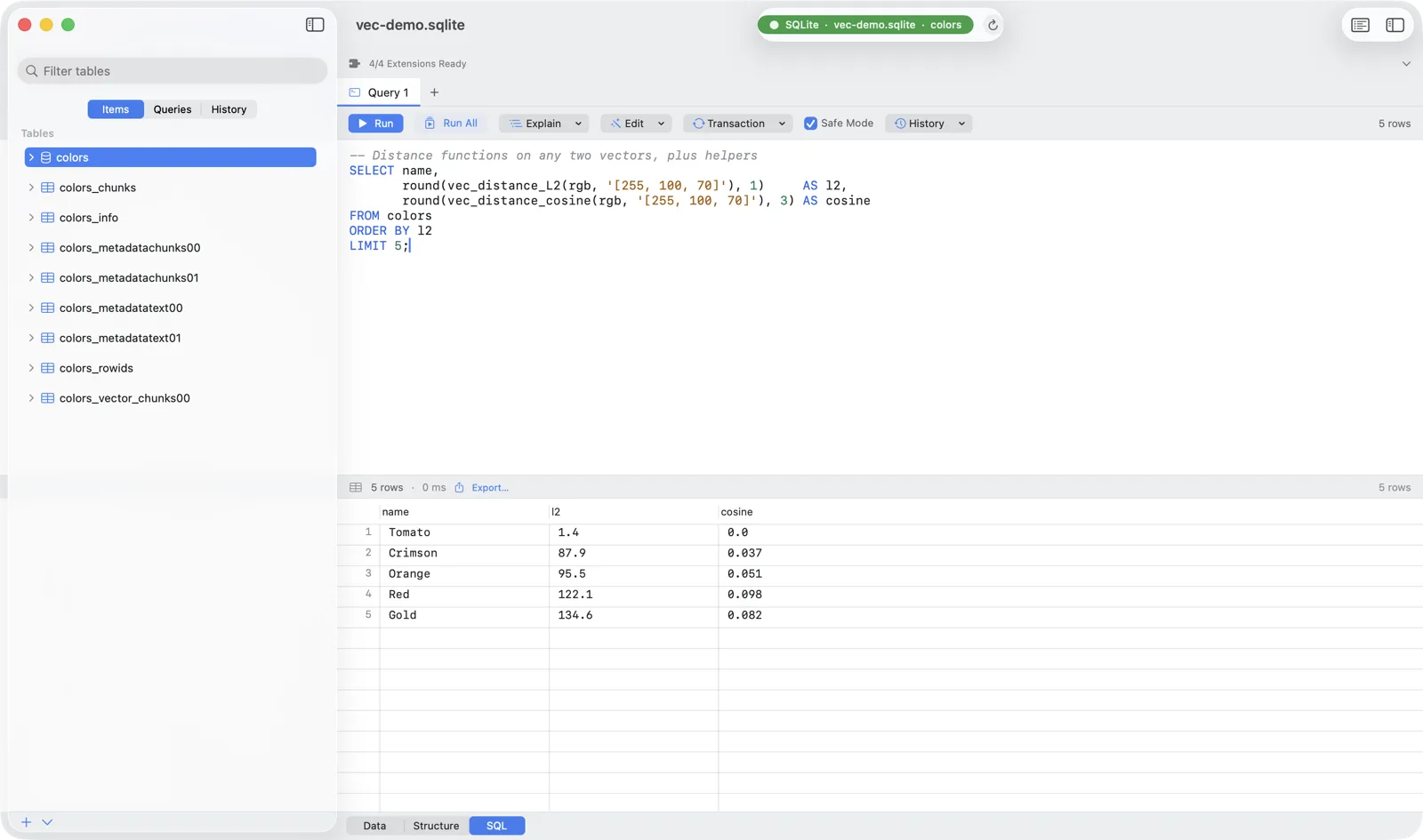
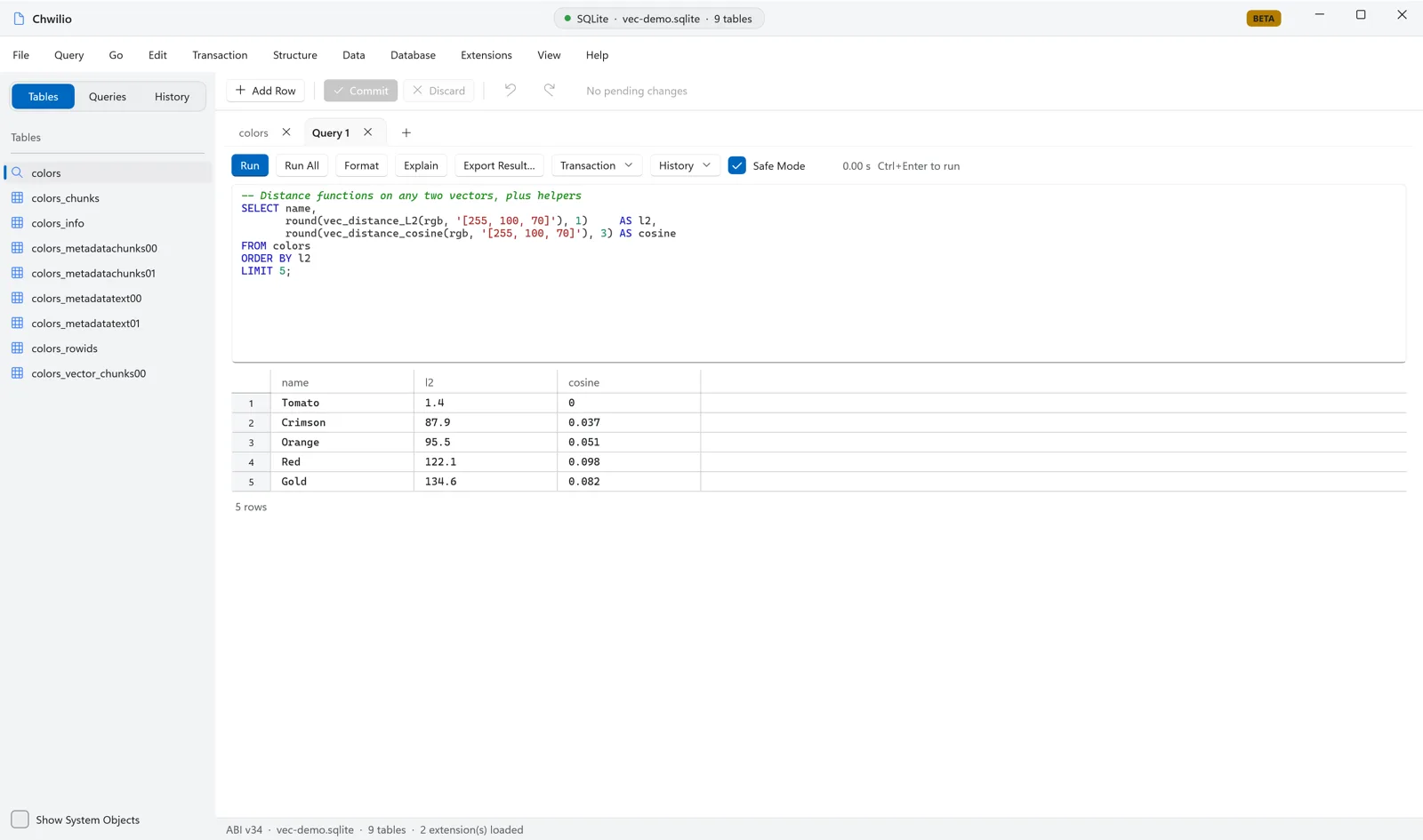
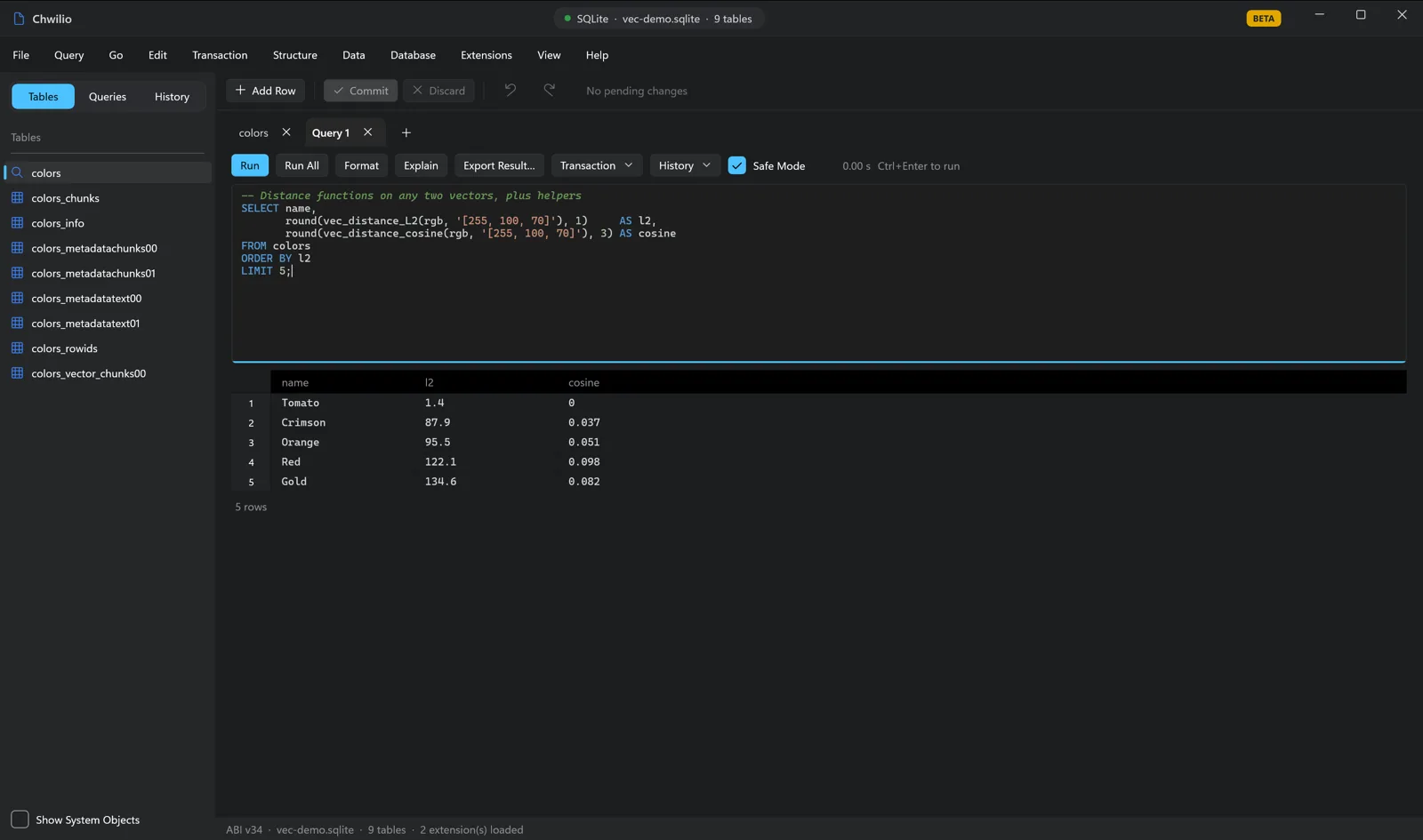
Beyond KNN, the distance functions work on any two vectors, so you can rank or compare ad-hoc:
SELECT name,
       round(vec_distance_L2(rgb, '[255, 100, 70]'), 1)     AS l2,
       round(vec_distance_cosine(rgb, '[255, 100, 70]'), 3) AS cosine
FROM colors
ORDER BY l2
LIMIT 5;

-- Helpers: version, dimension, and an L2-normalised unit vector
SELECT vec_version()                       AS version,
       vec_length(rgb)                     AS dims,
       vec_to_json(vec_normalize(rgb))     AS unit_vector
FROM colors WHERE name = 'Tomato';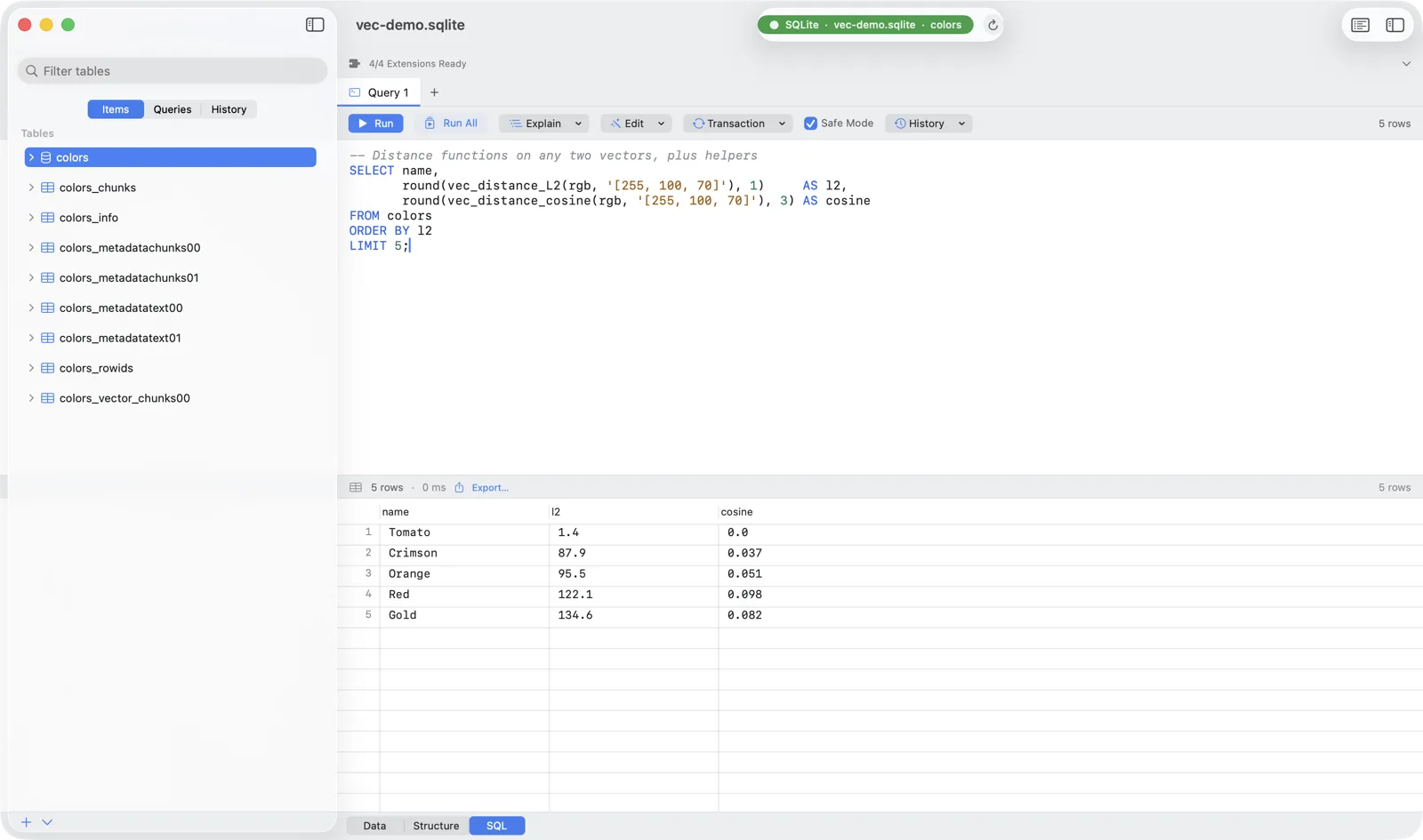
Everything you just did with [r, g, b] is what production systems do with embeddings: generate a
vector per item with a model, INSERT it, then MATCH a query vector to retrieve the nearest
neighbours. sqlite-vec also speaks int8[N] and bit[N] vectors, and vec_quantize_binary()
compresses big embedding sets. It’s the same toolkit at scale.
Where Chwilio comes in
- The rare macOS GUI that loads extensions at all, so a
sqlite-vecdatabase is something you can actually open and explore, not just hit from a script. - Autocomplete for
vec_*functions, a result grid to read distances, and EXPLAIN QUERY PLAN when you want to see what a KNN query does. - Export nearest-neighbour results to CSV/JSON, and edit the surrounding metadata through Chwilio’s reviewable change set.
Where vector search helps SQLite users
All of this from one file, with no separate vector database to run:
- Semantic search: find documents by meaning, not keywords.
- RAG for local or offline AI: retrieve context for an LLM entirely on-device.
- Recommendations and “more like this”: nearest-neighbour over item embeddings.
- De-duplication and clustering: group near-identical records, images, or audio.
- Image and audio similarity: store feature vectors, query by example.
- Edge and mobile: SQLite is the on-device database, and
sqlite-vecmakes it a vector store too.
So the vector index isn’t a separate service to run and keep in sync. It’s a table in the same SQLite file as everything else, versioned and shipped with your app. Chwilio just lets you open that file and run the KNN queries by hand, which on the desktop you mostly couldn’t before.
You can try this right now, for free. Chwilio is in private beta, and the beta
build unlocks every feature, including loading your own extensions, for the whole beta
period at no cost. Grab a beta invite, download
sqlite-vec from its
releases page, and load
vec0.dylib from the Extension Manager. When the beta period ends, access reverts to
the free trial, and keeping these features needs a license. Questions
about a specific extension? Get in touch.