Beta · macOS & Windows

Load your SQLite extensions.
Natively.

The native SQLite editor I built to load extensions the way I always wanted — on macOS, and now on Windows too. Point it at an FTS tokenizer, a virtual table, or a custom function, and Chwilio checks it before it arms it, scopes it to the databases you choose, and tells you exactly what happened.

macOS 15+ (Apple Silicon & Intel) · Windows 10/11 64-bit · Unsandboxed, so it can load your extensions

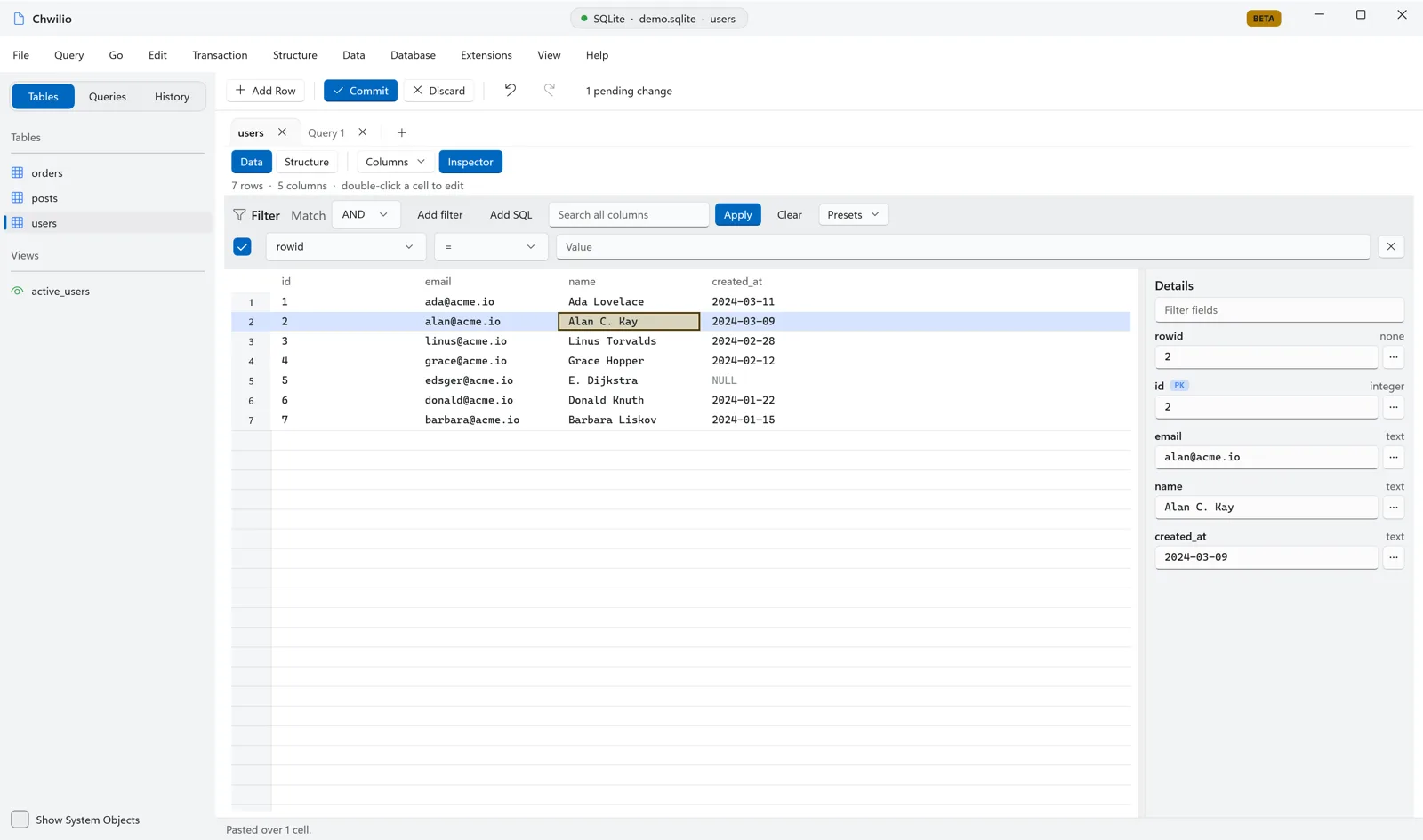
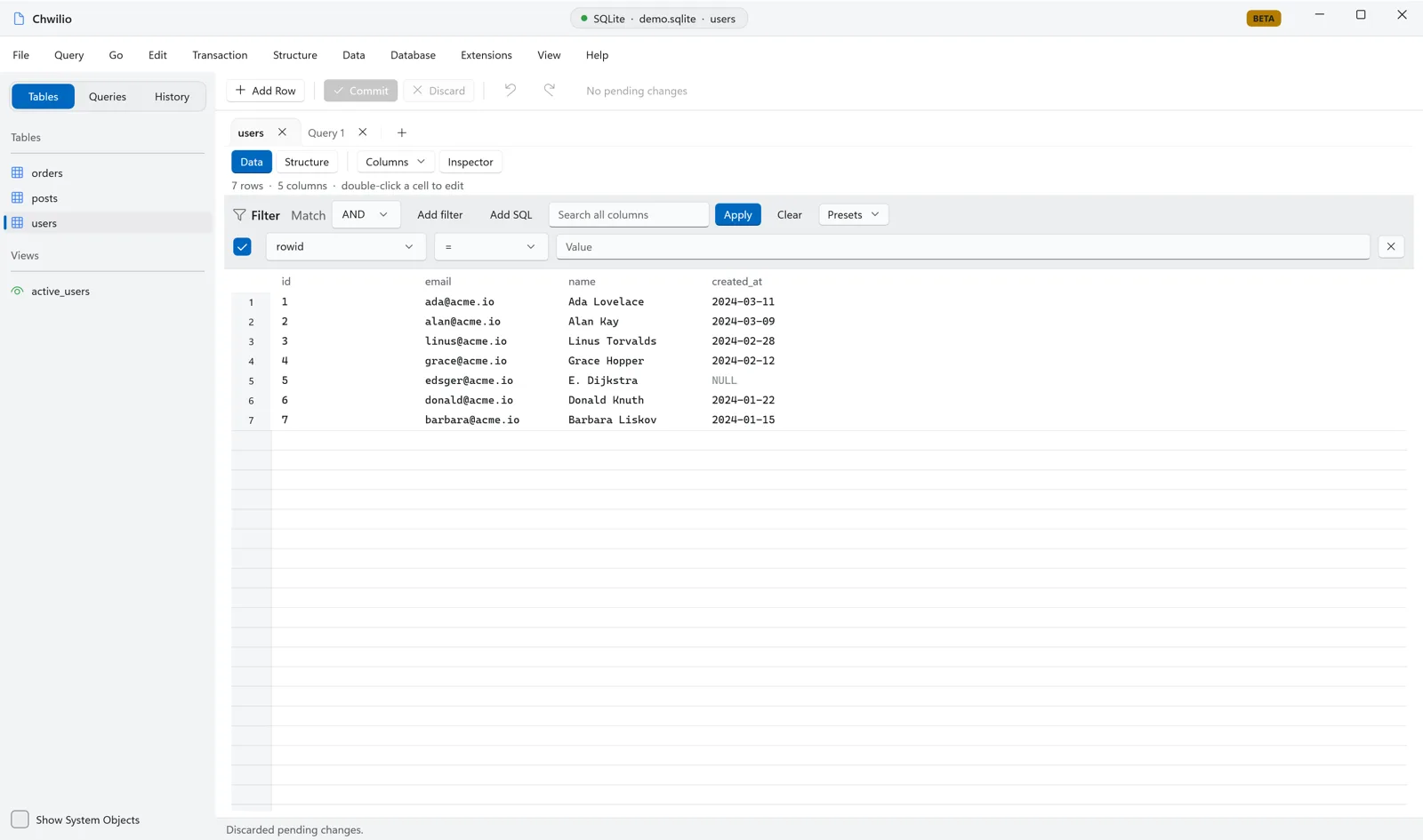
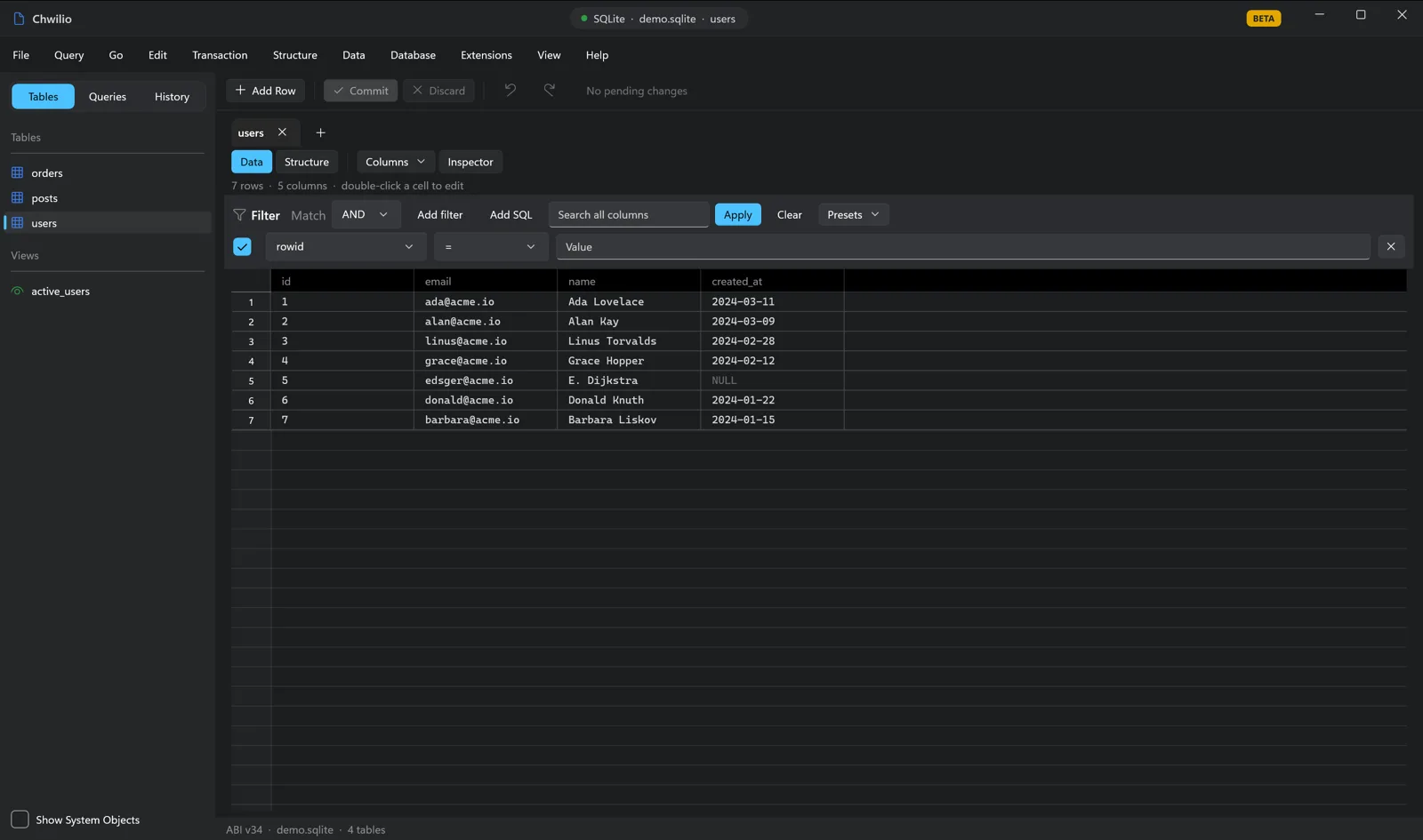
Chwilio browsing a SQLite table — two-pane grid, filter builder, and sidebarChwilio browsing a SQLite table — two-pane grid, filter builder, and sidebarChwilio browsing a SQLite table — two-pane grid, filter builder, and sidebarChwilio browsing a SQLite table — two-pane grid, filter builder, and sidebar

Extensions that actually load

Bring your own .dylib or .dll — an FTS tokenizer, a virtual-table module, a scalar function. Chwilio checks it before arming it, explains any failure in plain language, finds the dependencies an extension ships beside it, and keeps the whole set in one manager window.
SQLite, all the way down

SQLite is the only database Chwilio speaks, and that focus buys depth. WAL, WITHOUT ROWID tables, virtual tables, FTS, generated columns, pragmas, ATTACH, the backup API — handled as themselves, not flattened into a lowest common denominator.

Native AppKit and WinUI 3

Swift and AppKit on macOS, WinUI 3 on Windows, both over the same Swift engine: a custom data grid, real windows, menu commands, native panels. No Electron and no web views in the core UI — it launches fast and behaves like a real app on each platform because it is one.

Extensions-first, natively built

A SQLite editor built around your extensions, and the tools you need around them.

Every surface is built for real, repeated work: scanning big tables, editing without fear, running the queries you'll run again tomorrow. Here's what Chwilio does today.

Browsing

Browse large databases instantly.

A custom native grid built for large result sets, with every column control you'd expect and a few you won't find elsewhere.

  • Custom data gridcolumn reorder, show/hide, persisted widths, and column freeze/pin — a synchronized two-pane layer-backed grid on macOS, a heavily customised native grid on Windows.

  • SQL-backed sorting & paginga header click sorts the whole table, not just the loaded page; adjustable limit/offset.

  • Multi-row filter buildermulti-row, per-row enable, column or Raw SQL rows, AND/OR grouping, live WHERE preview, saved presets.

  • Row inspector & cell value viewertext, pretty JSON, hex dump, image preview; BLOB export/import to file.

  • Foreign-key navigationclick a FK value to jump to the referenced row.

  • Lazy loading on 20–30 GB databasesmetadata first, COUNT(*) in the background on an ephemeral WAL connection.

  • Selection stats & active-column sumscount/sum/avg/min/max on 2+ selected rows.

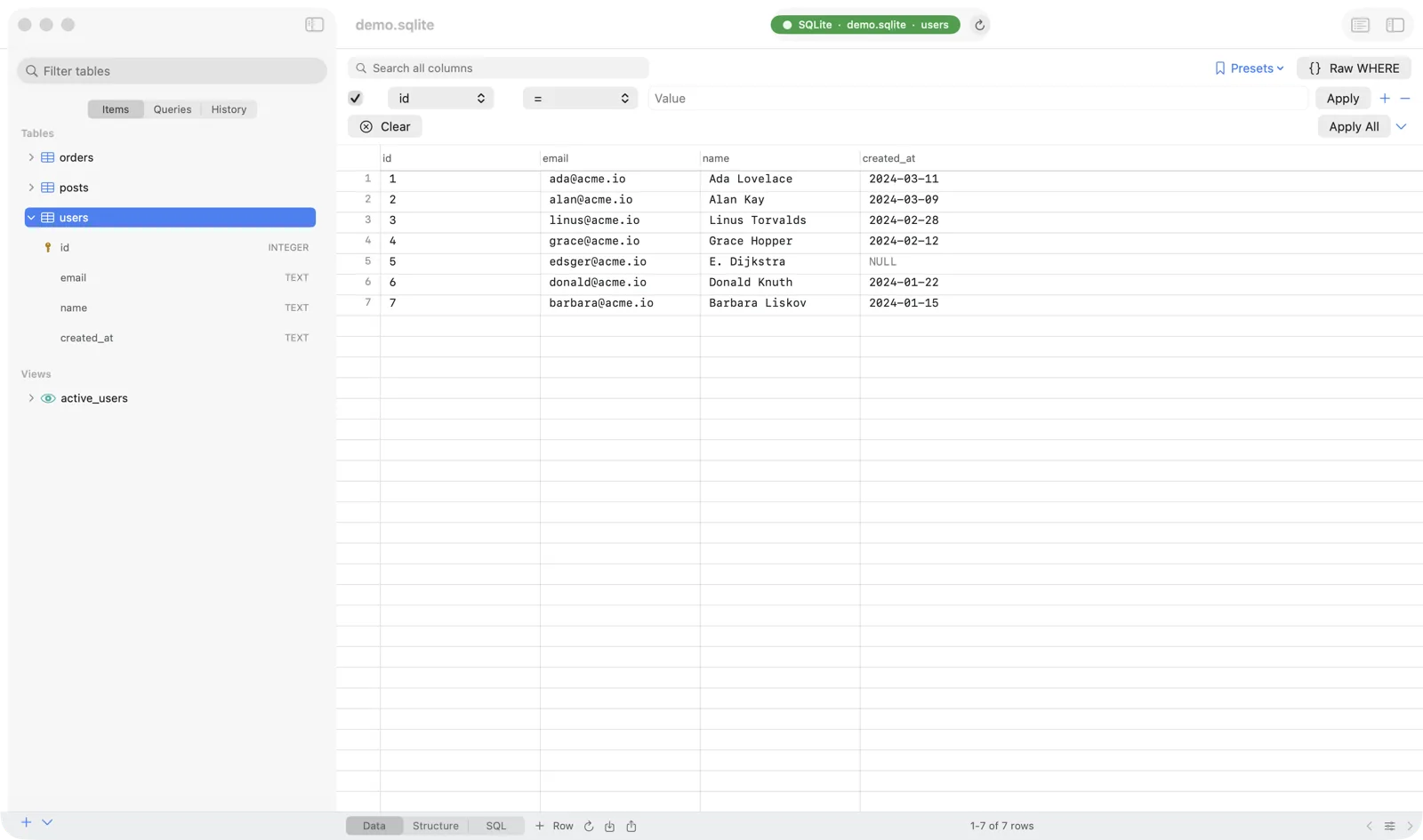
Chwilio browsing the users table — sidebar, filter builder, and data gridChwilio browsing the users table — sidebar, filter builder, and data gridChwilio browsing the users table — sidebar, filter builder, and data gridChwilio browsing the users table — sidebar, filter builder, and data grid
Safe by default

Every edit is a reviewable change.

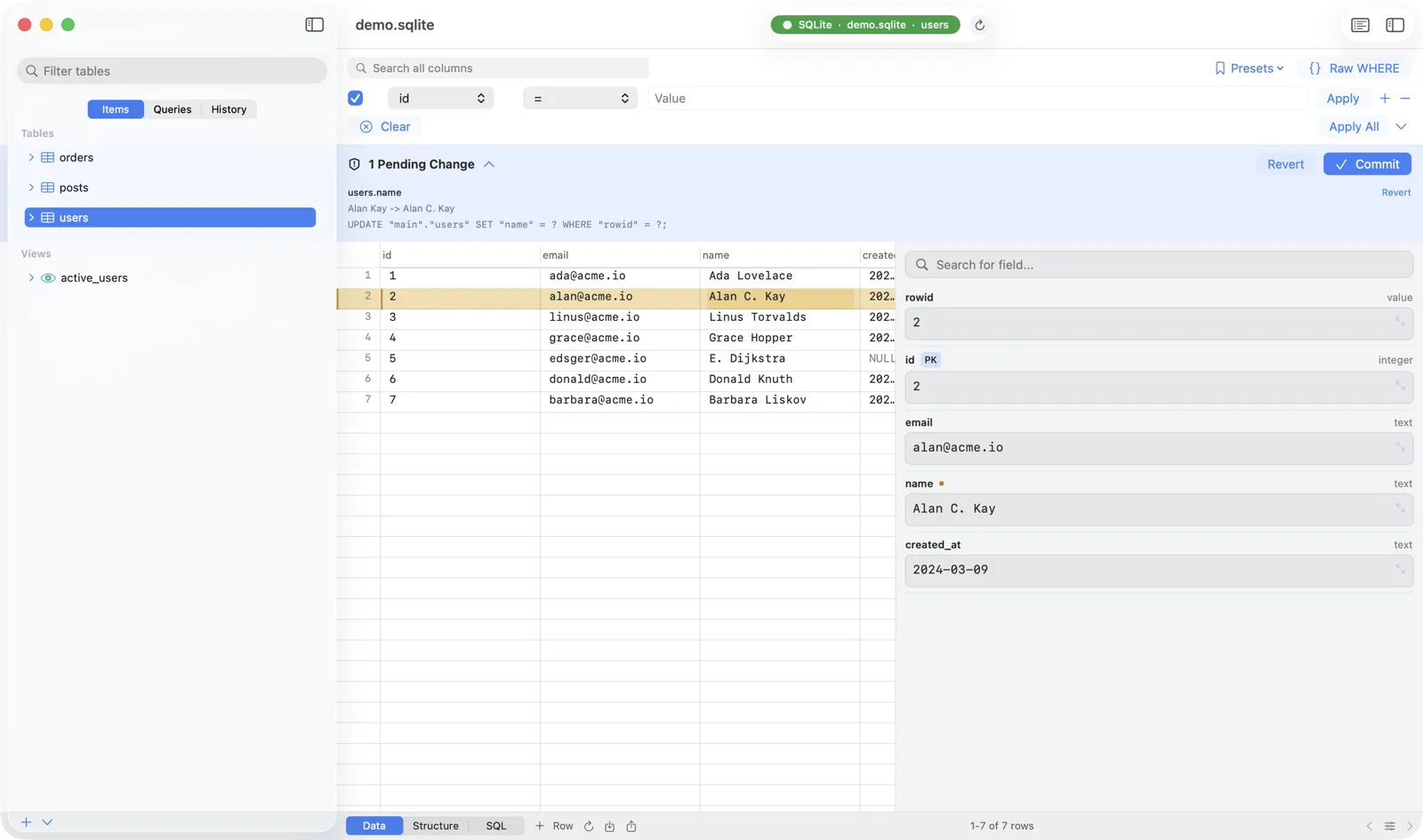
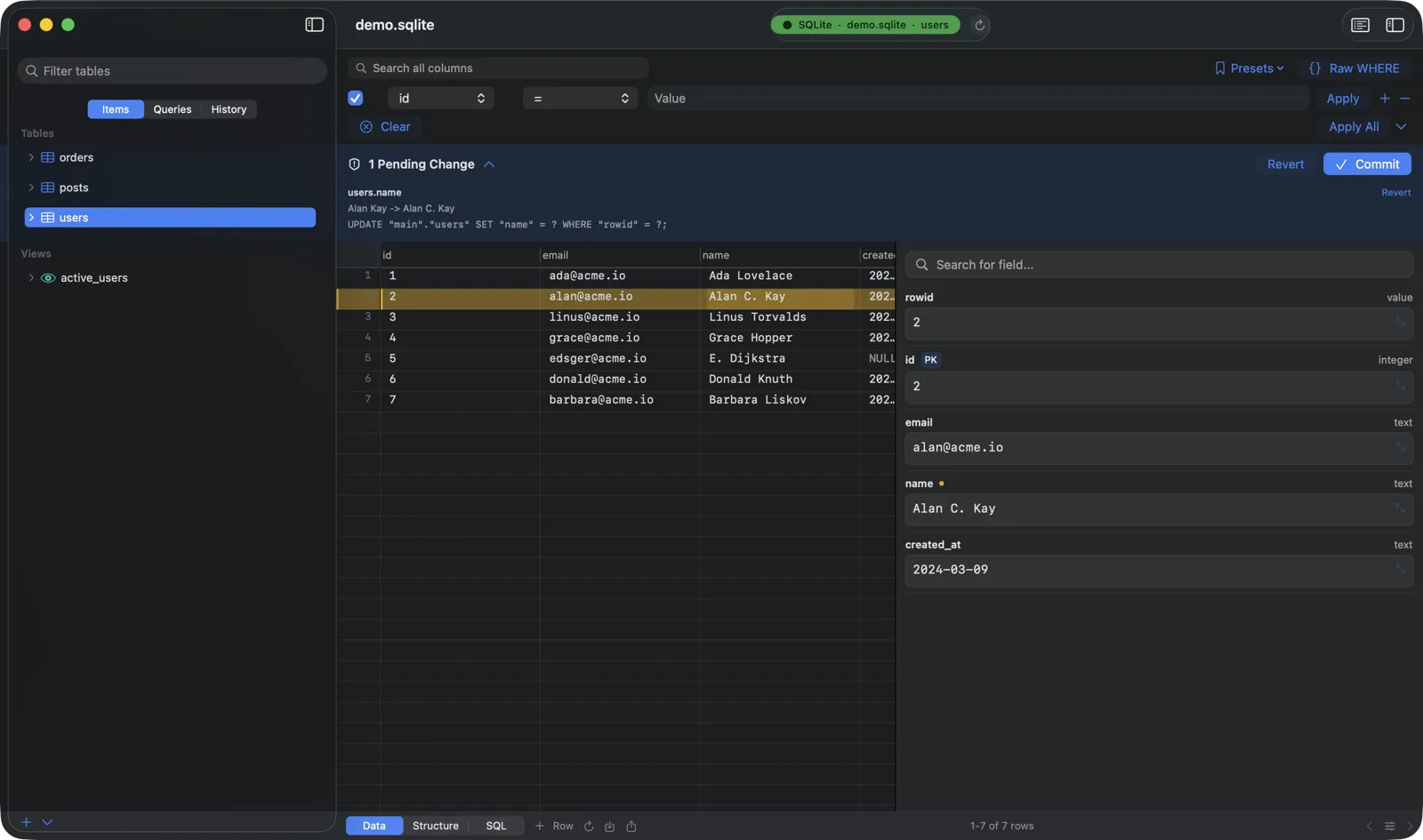
Edits never mutate SQLite immediately. They accumulate as a pending change set you can preview, undo, and batch-commit in one transaction. That change set is the foundation of safe mode and SQL preview.

  • Every edit is a reviewable changeinline edits, staged insert/delete, and SQL-result edit-backs accumulate in a change set, not immediate mutations.

  • SQL preview per pending changeparameterized, with bound values and visible transaction boundaries.

  • Single-change & bulk revertplus unified undo/redo across cells, rows, duplicates, paste, and delete.

  • Transactional batch commitwith Safe Mode confirmation before any mutating SQL runs.

  • Set EMPTY / NULL / DEFAULT quick actionsand paste clipboard rows as JSON / CSV / TSV / INSERT / HTML.

  • Edit query results back to sourcewhen columns map to one base table, non-key cells are editable and staged.

  • Fill Down, Paste Over & bulk updatebatch multi-cell edits in one undo step, or SET a column across the selection, the current filter, or the whole table, with a SQL preview.

  • Commit-time conflict detectioneach UPDATE carries a NULL-safe original-value guard; if a row changed under you, the whole transaction rolls back instead of clobbering it.

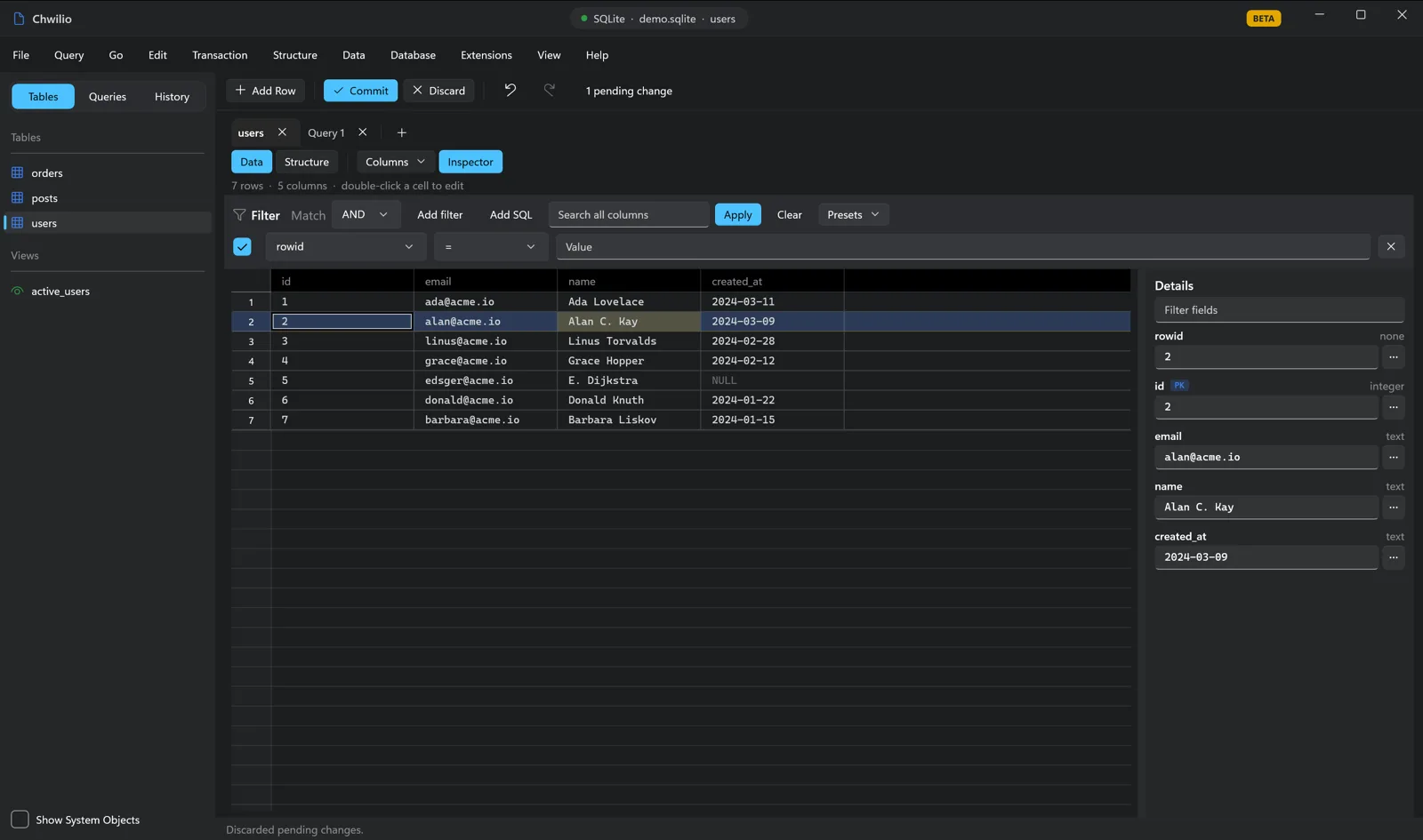
Chwilio's change set — a staged cell edit with before→after and a parameterized SQL previewChwilio's change set — a staged cell edit with before→after and a parameterized SQL previewChwilio's change set — a staged cell edit with before→after and a parameterized SQL previewChwilio's change set — a staged cell edit with before→after and a parameterized SQL preview
SQL editor

A multi-tab query editor that stays out of your way.

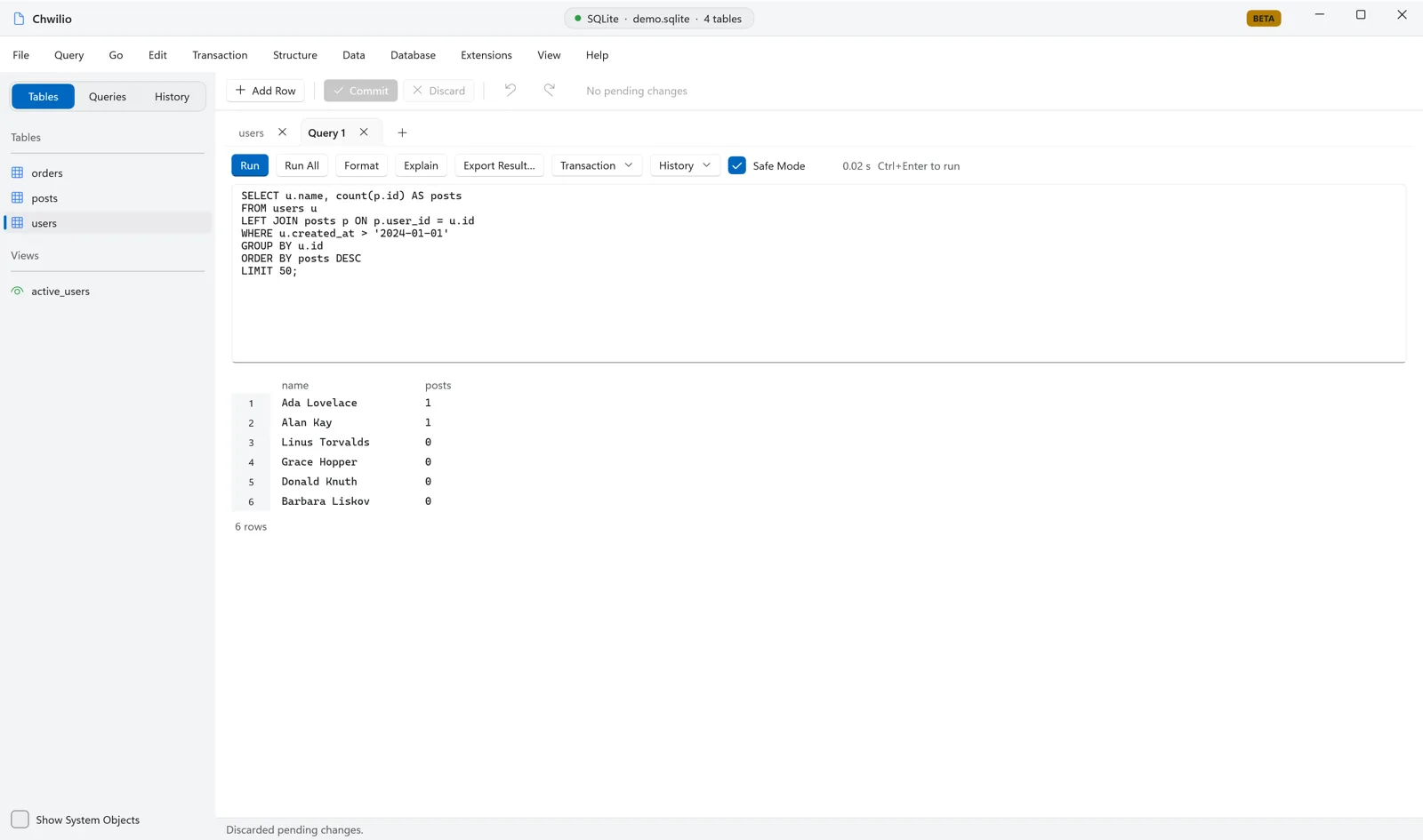
Smart run, asynchronous execution with live timing and cancellation, multi-statement results, EXPLAIN QUERY PLAN, bind parameters, and edit-results-back-to-source. The same engine that powers the grid.

  • Smart run⌘↩ (Ctrl+Enter on Windows) runs the selection or the statement under the cursor; ⇧⌘↩ / Shift+Ctrl+Enter runs all.

  • Off-main executionwith a live timer and a Stop button that cancels via sqlite3_interrupt.

  • Multi-statement resultsone result per statement in a result sub-tab bar.

  • EXPLAIN QUERY PLAN treeplus raw EXPLAIN bytecode, without rewriting your editor text.

  • Bind-parameter promptsfor :name / @name / $name / ? / ?NNN, with a NULL toggle and session memory.

  • Transaction controlsBEGIN / COMMIT / ROLLBACK with an in-transaction pill, durable across runs.

  • Autocompletekeywords, tables, columns, built-in functions, and pragmas (functions insert with ()).

  • Format, comment, find, snippetsplus history and saved queries organized in folders with drag-and-drop.

  • SQL log consolea toggleable bottom panel that records every query Chwilio runs, from browse SELECTs to editor runs with rows and timing to committed change-set/DDL, with a Clear button.

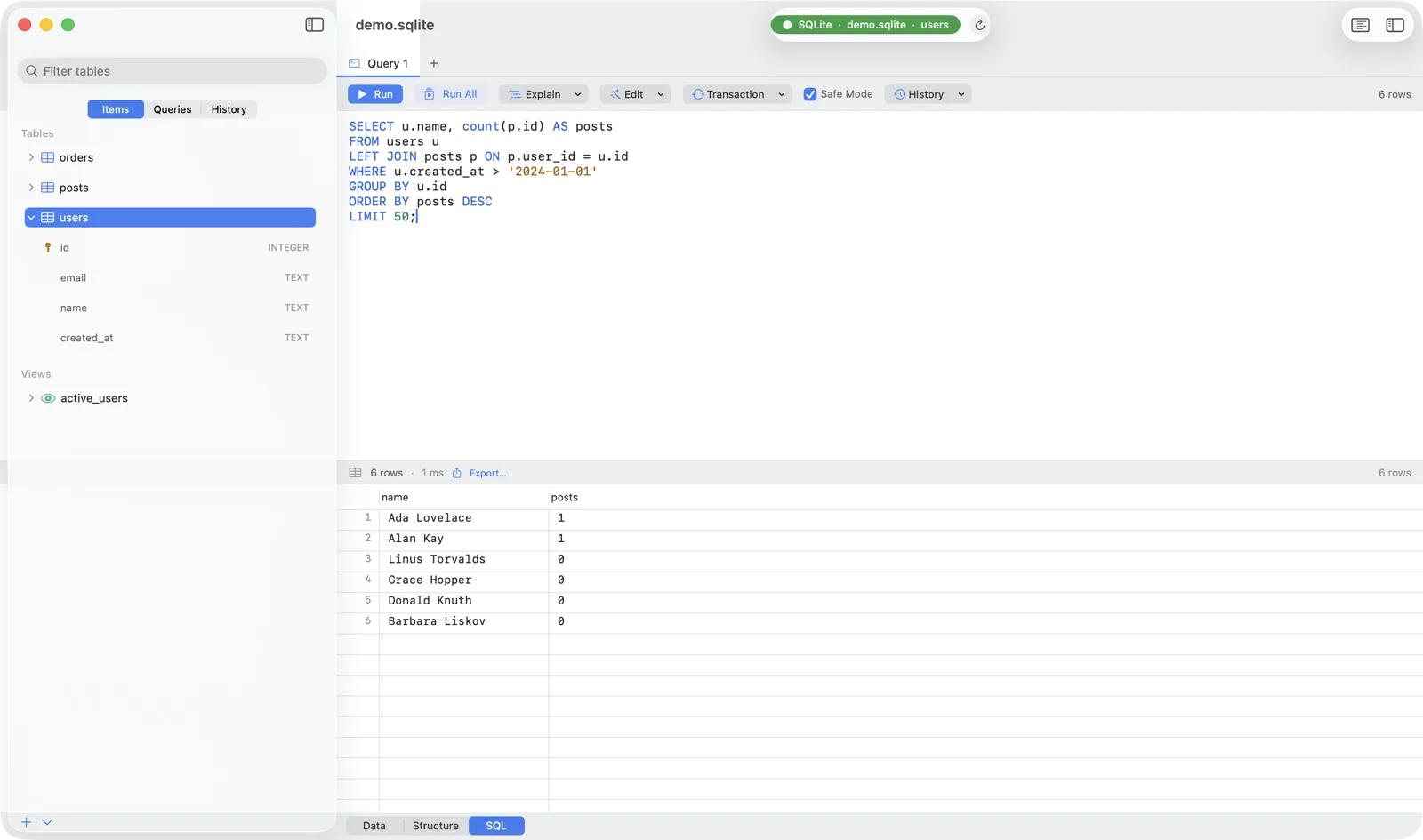
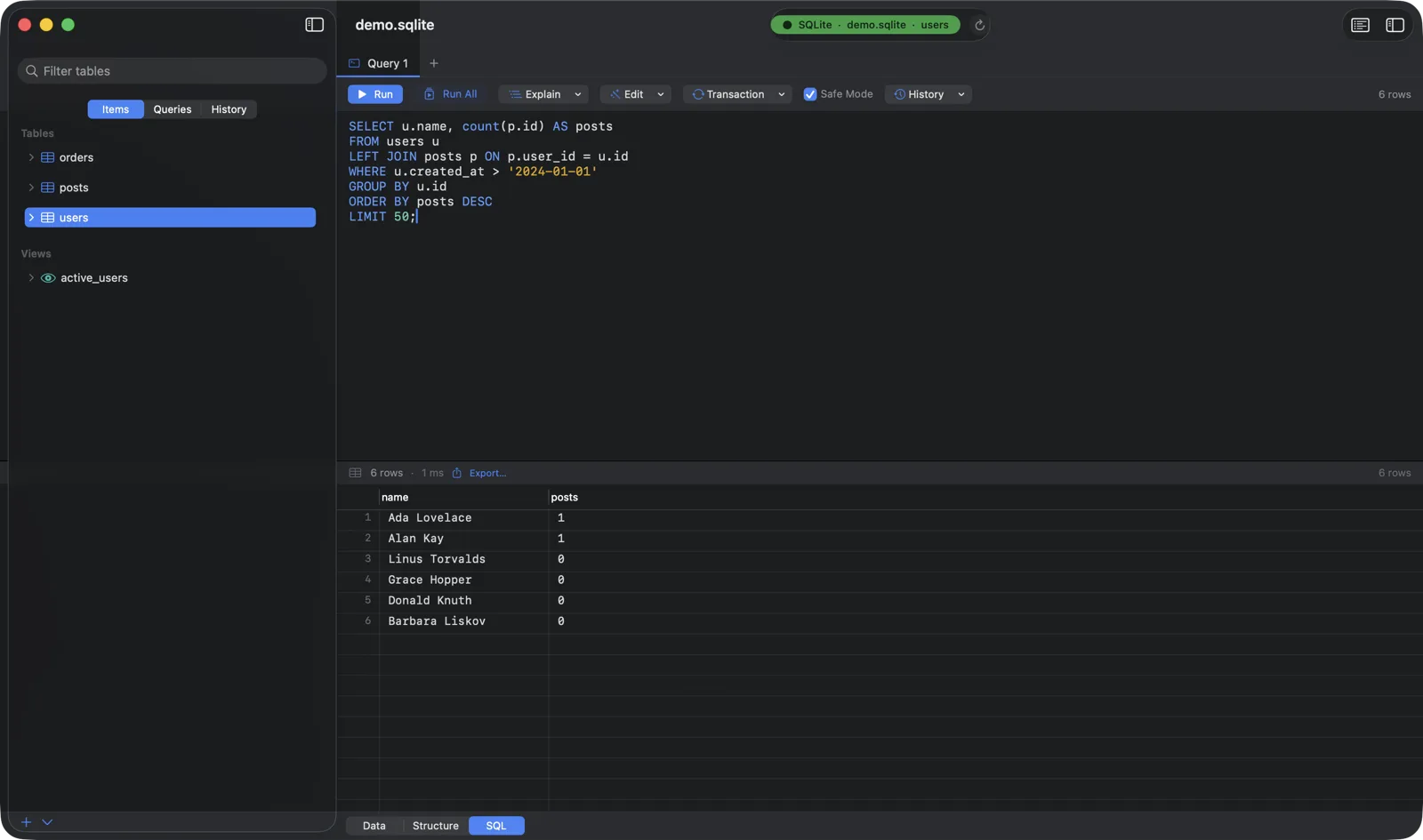
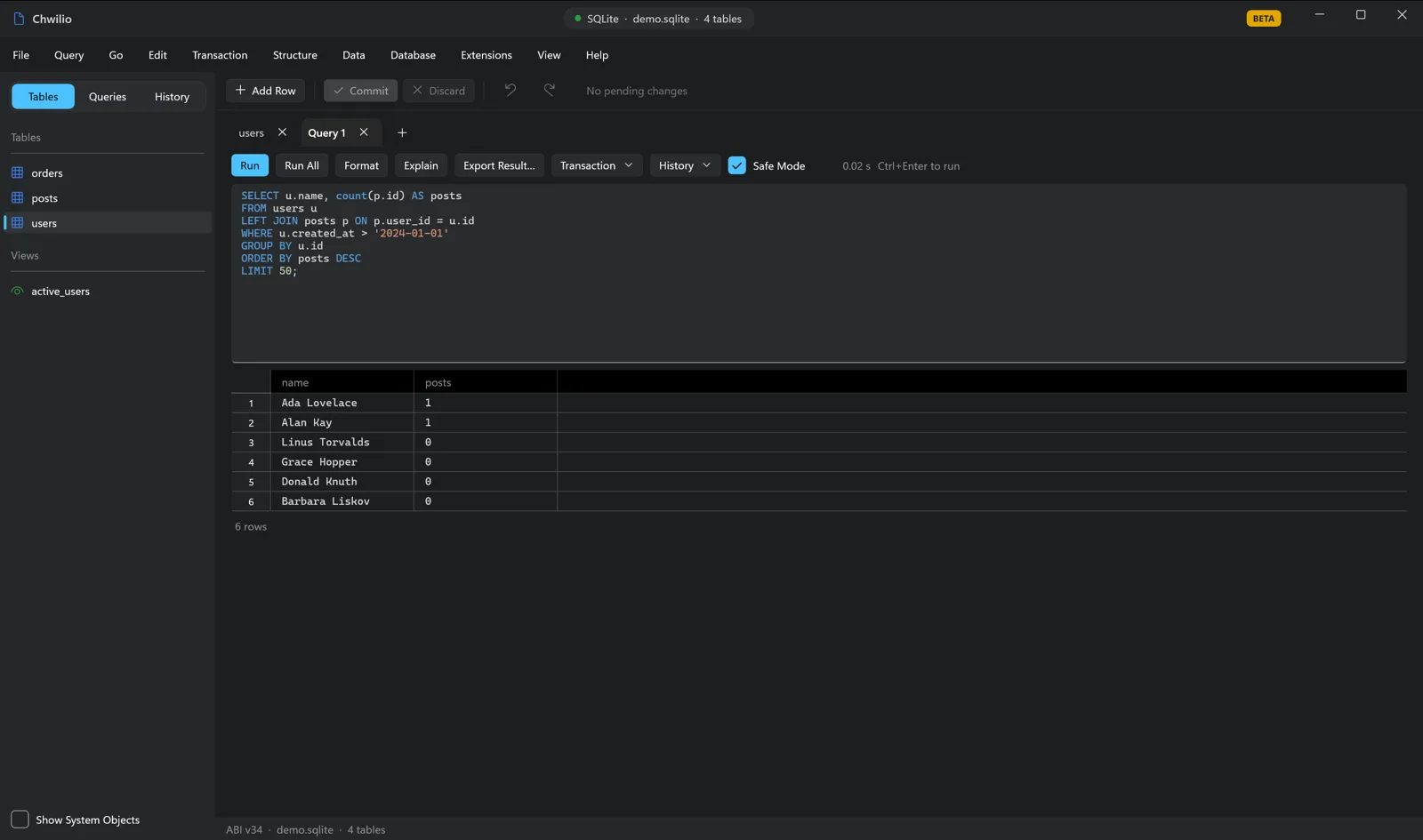
Chwilio's multi-tab SQL editor with a query, syntax highlighting, and the result gridChwilio's multi-tab SQL editor with a query, syntax highlighting, and the result gridChwilio's multi-tab SQL editor with a query, syntax highlighting, and the result gridChwilio's multi-tab SQL editor with a query, syntax highlighting, and the result grid
Schema editing

Edit everything: tables, views, indexes, triggers.

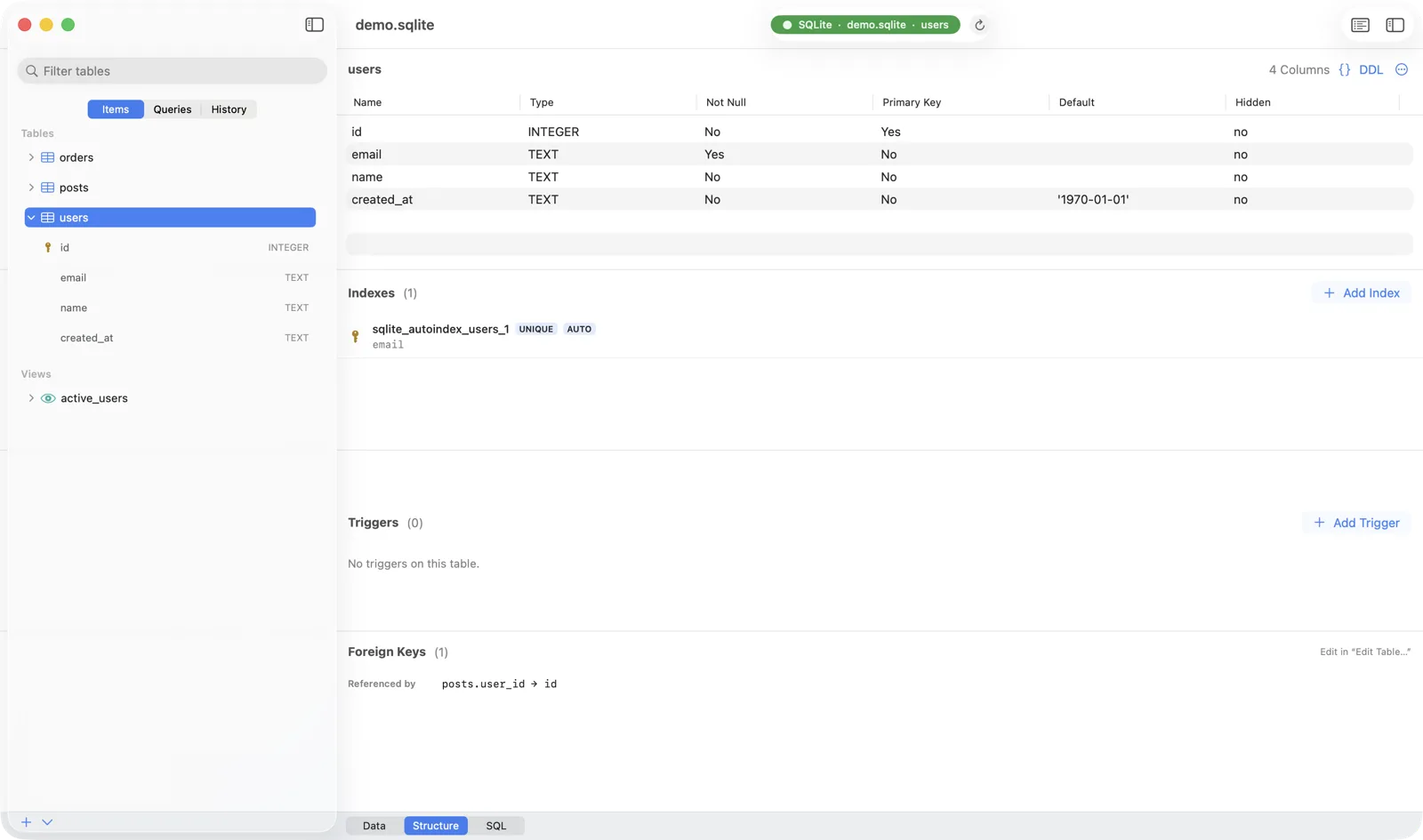
Full column editing through the official table-rebuild workflow (preserving rowids, AUTOINCREMENT, indexes, and triggers), with a per-object DDL viewer, schema diff, and ER diagram.

  • Full column editingtype, default, nullable, PK, unique, check, collate, generated, and reorder, through native ALTERs or the safe table-rebuild workflow.

  • Official table-rebuildcopy rows in one transaction, preserve rowids and AUTOINCREMENT, recreate indexes/triggers, run foreign_key_check, all off-main.

  • Create / rename / dropfor tables, views, indexes, and triggers. Every destructive path shows a SQL preview and safe-mode confirm.

  • Composite PK / UNIQUE / CHECK / FKedited as table-level clauses through the rebuild engine.

  • Per-object DDL viewerand system-object visibility for sqlite_% internals.

  • Schema diff & ER diagramcompare two open databases; visualize tables and declared + inferred foreign-key lines.

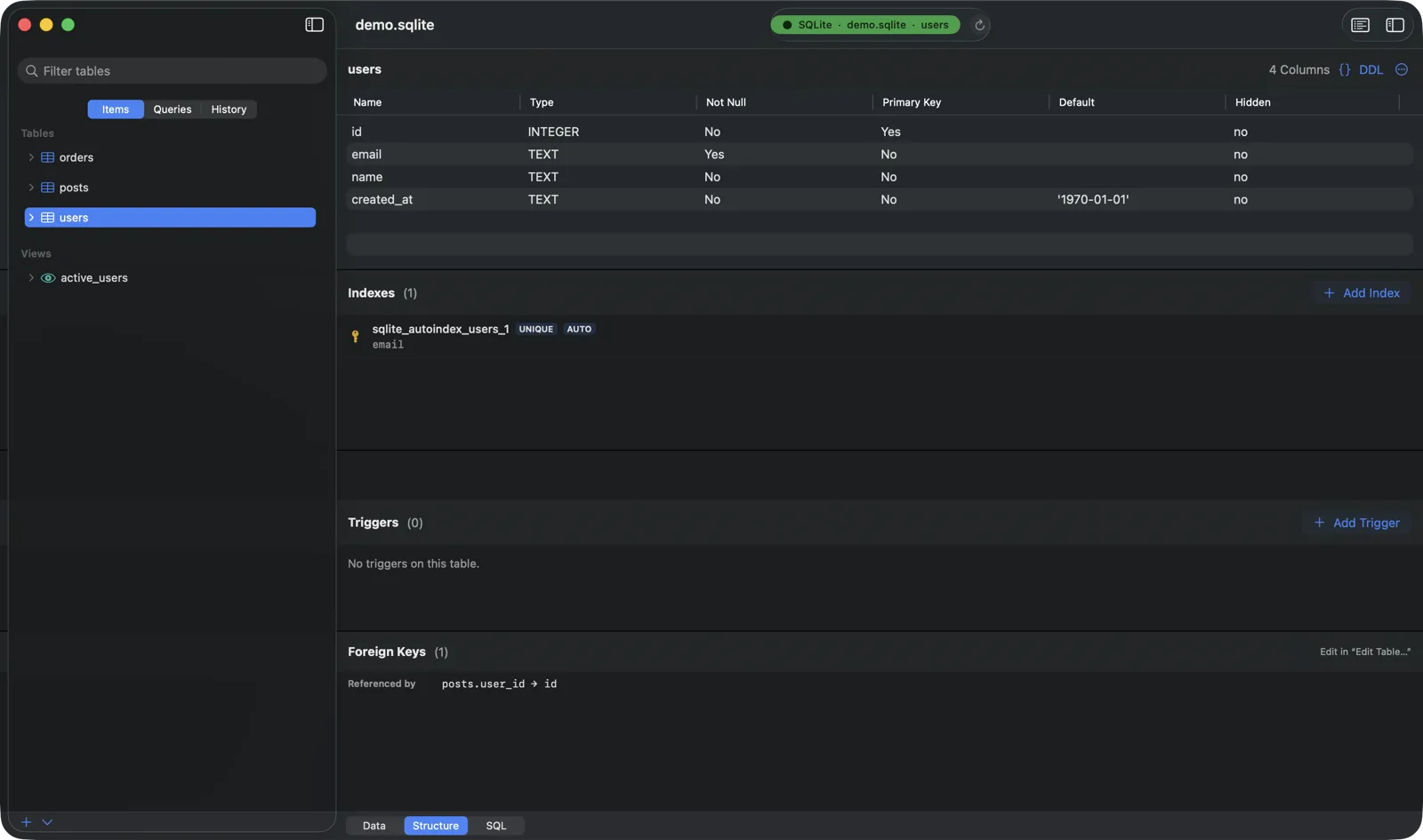
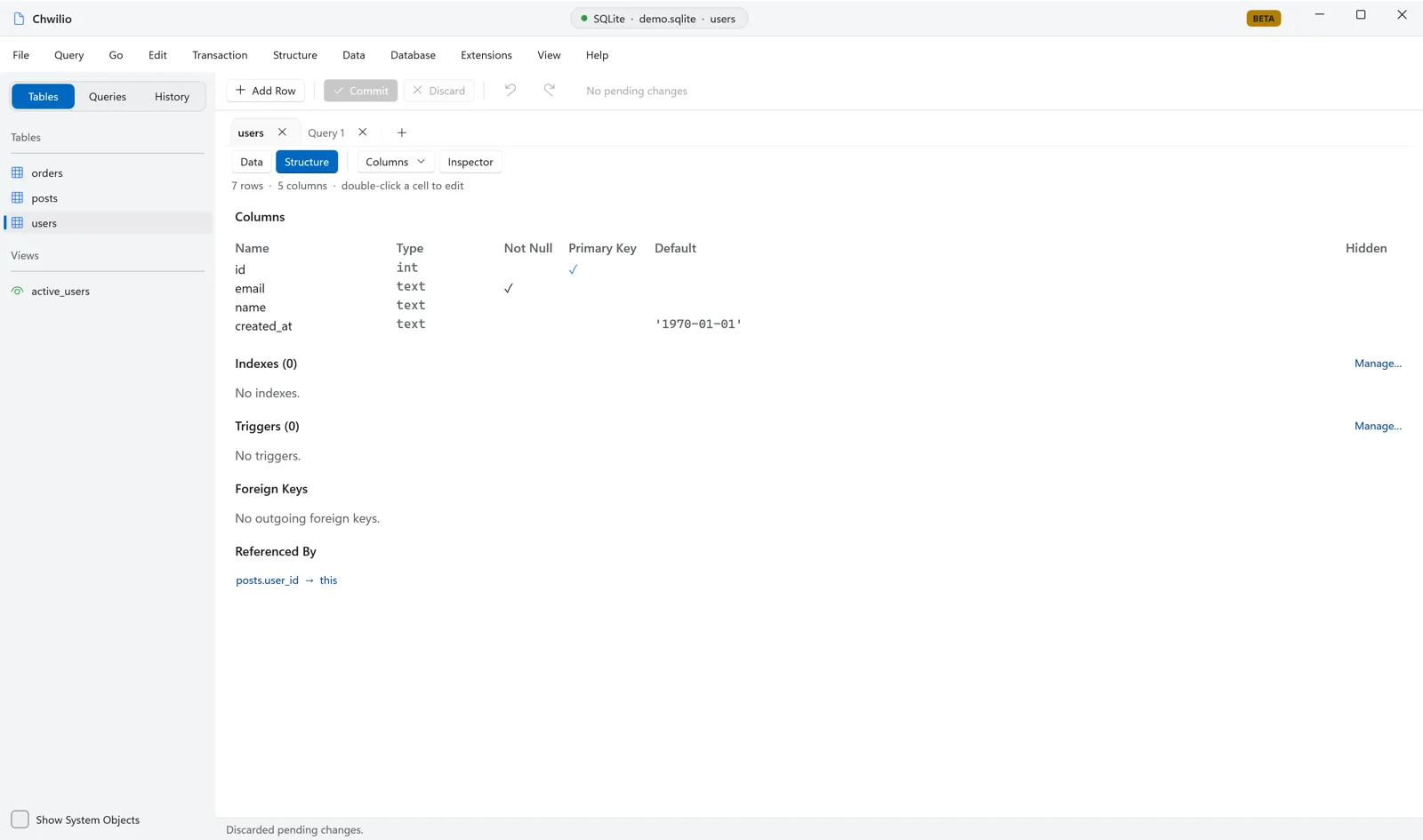
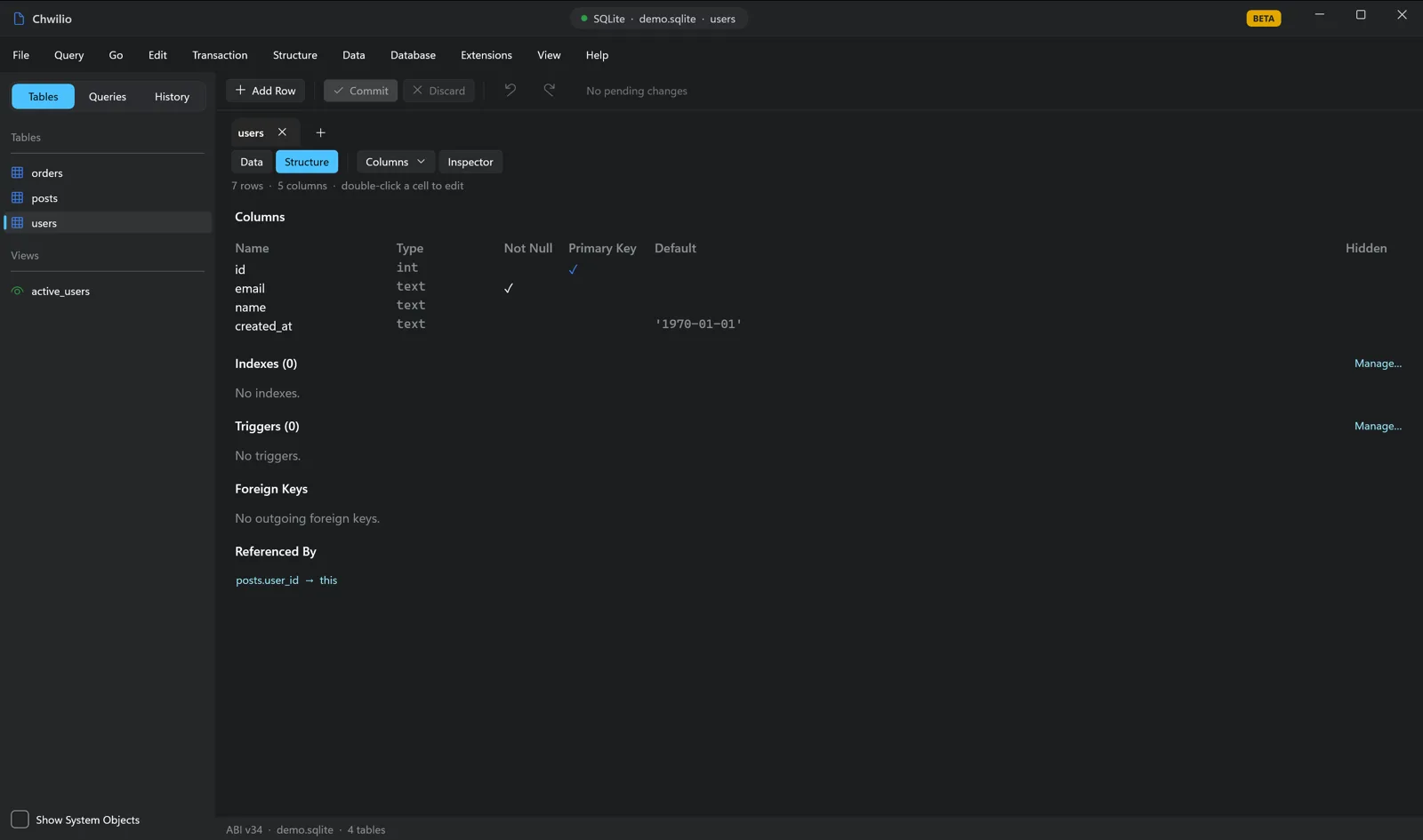
Chwilio's Structure tab — columns, indexes, triggers, and foreign keys with a DDL viewerChwilio's Structure tab — columns, indexes, triggers, and foreign keys with a DDL viewerChwilio's Structure tab — columns, indexes, triggers, and foreign keys with a DDL viewerChwilio's Structure tab — columns, indexes, triggers, and foreign keys with a DDL viewer
Import & export

Move data in and out, in any shape.

A unified export engine across nine formats, a guided import pipeline with preview and type inference, and multi-format copy/paste, reachable from every tabular surface in the app.

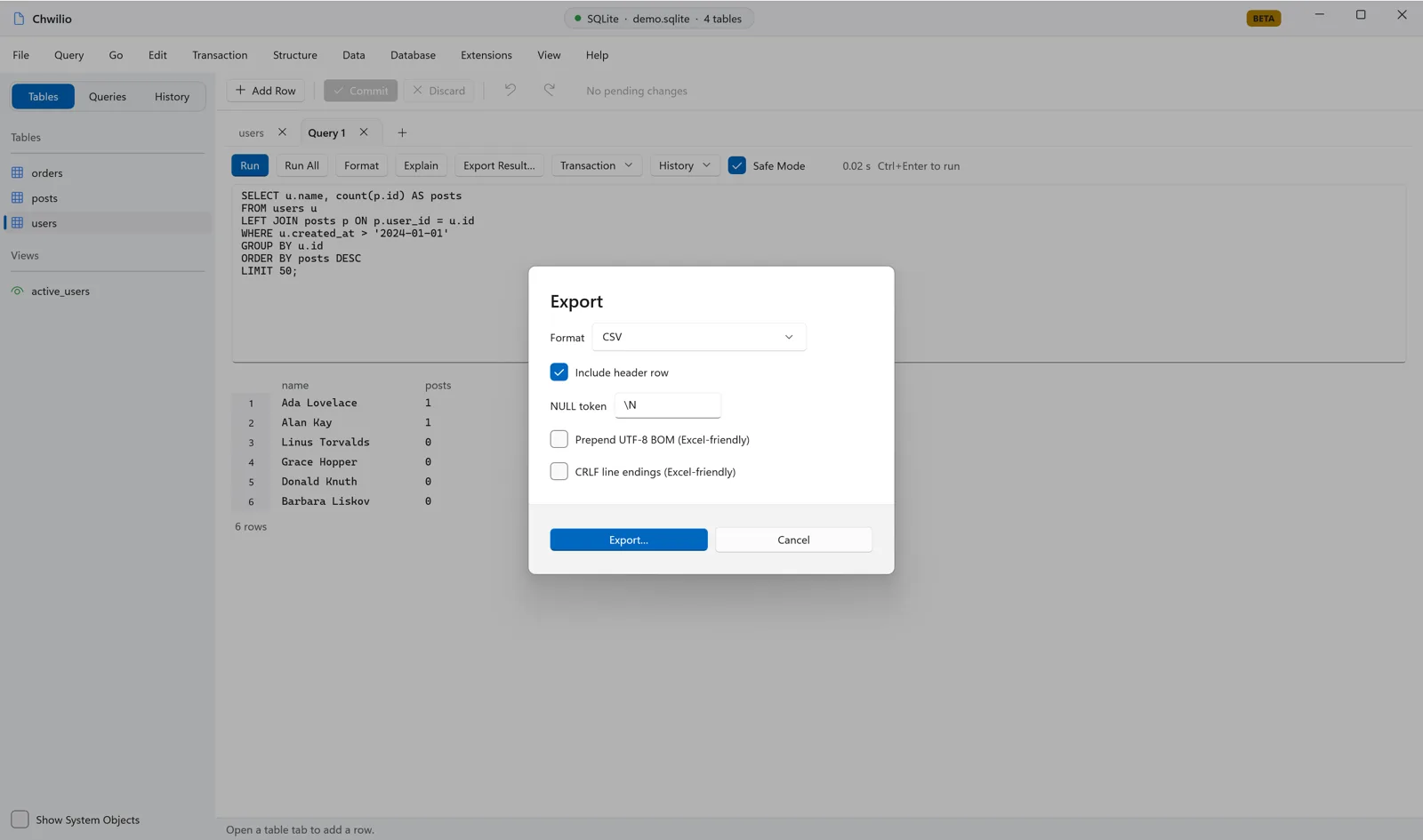
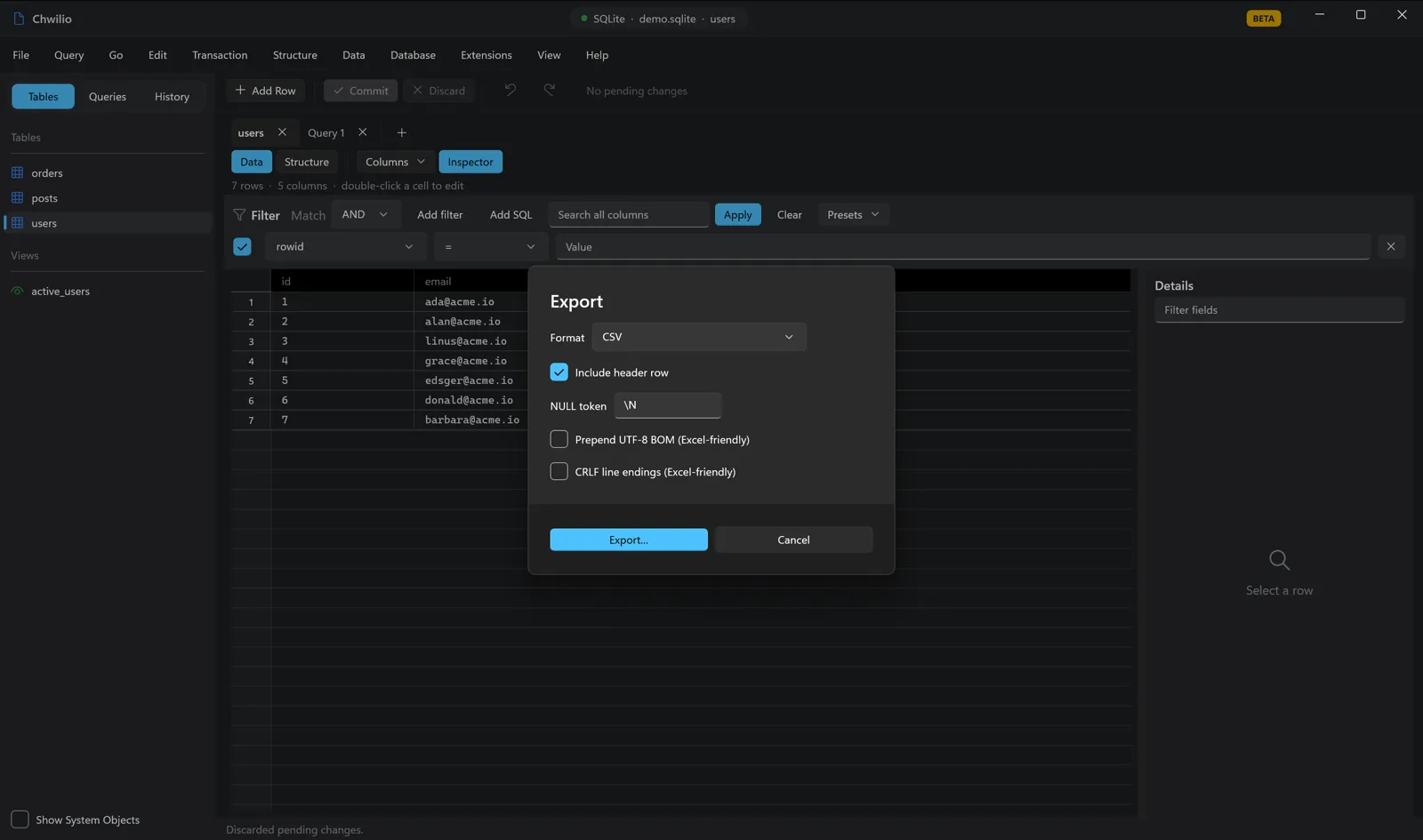
  • Export to 9 formatsCSV, TSV, JSON, Markdown, HTML, XML, INSERT, SQL dump, and Excel (.xlsx), with header, NULL token, JSON pretty, and dump-scope options.

  • Guided importCSV / TSV / JSON with preview, auto-detected delimiter/header, encoding picker, column mapping + type override, NULL handling, conflict policy.

  • Hybrid commit by sizesmall imports stage as pending changes; large ones commit directly in a transaction with row-number error reporting.

  • Multi-format copyplain / JSON / HTML / Markdown / CSV / INSERT, all sharing one cell renderer with file export.

  • Paste rows as new insertsauto-detects JSON, CSV, tab-separated, INSERT statements, or an HTML table.

  • Available from every surfacesidebar, grid context menu, table toolbar, SQL result bar, and Database ▸ Export.

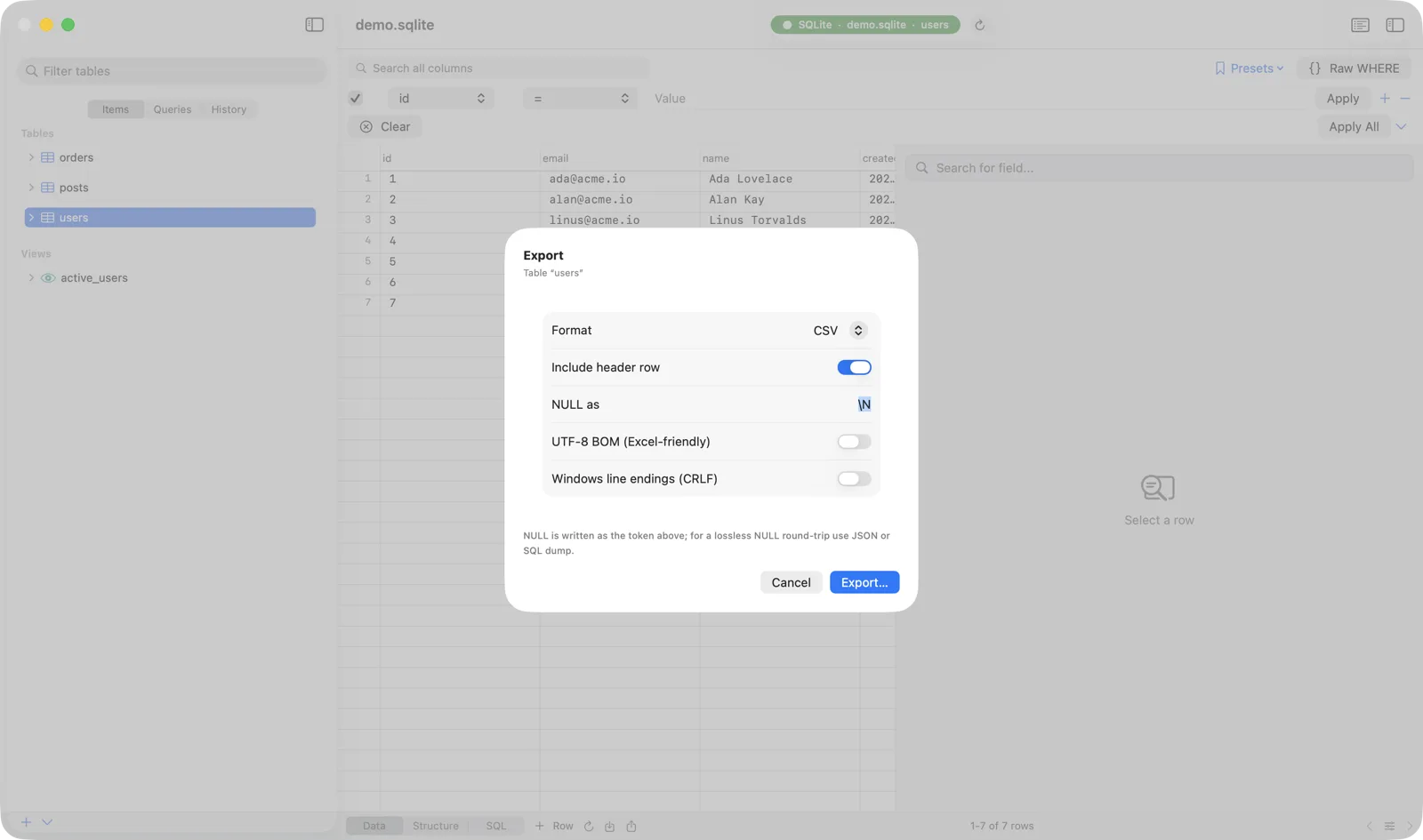
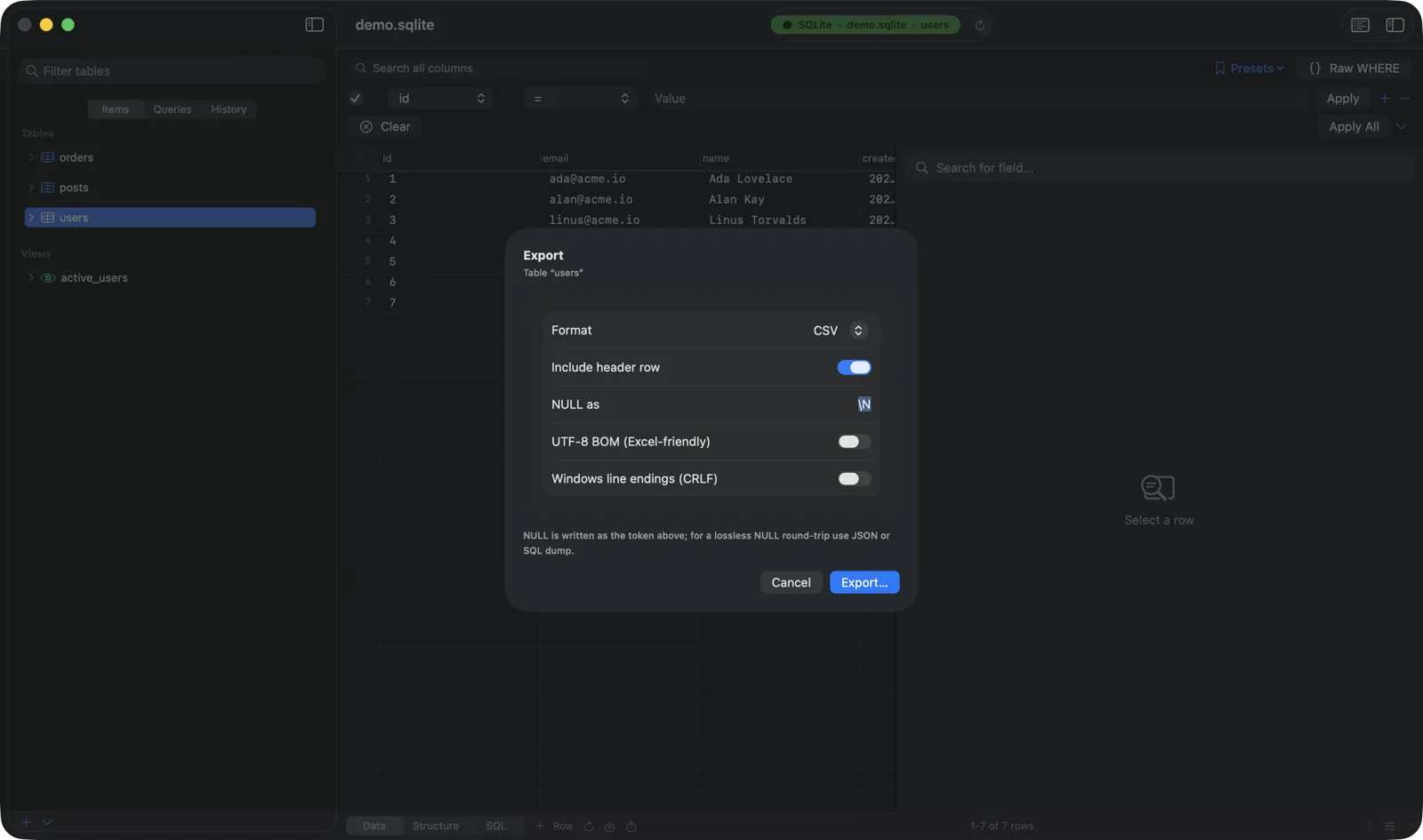
Chwilio's export dialog — choose CSV/TSV/JSON/Markdown/HTML/XML/INSERT/SQL-dump/Excel with header, NULL token, and encoding optionsChwilio's export dialog — choose CSV/TSV/JSON/Markdown/HTML/XML/INSERT/SQL-dump/Excel with header, NULL token, and encoding optionsChwilio's export dialog — choose CSV/TSV/JSON/Markdown/HTML/XML/INSERT/SQL-dump/Excel with header, NULL token, and encoding optionsChwilio's export dialog — choose CSV/TSV/JSON/Markdown/HTML/XML/INSERT/SQL-dump/Excel with header, NULL token, and encoding options
Remote databases

Browse a SQLite database straight from a URL.

Point Chwilio at an HTTP(S) URL and browse a remote SQLite file without downloading it. Only the pages your queries touch come over the network, so even a multi-GB file opens right away. Read-only, always.

  • Open from URL⇧⌘U on macOS, Ctrl+Shift+U on Windows: paste an HTTP(S) link to a SQLite file and browse its tables, schema, and data, with no download step.

  • Page-range fetches, not the whole fileeach query pulls only the database pages it needs over HTTP range requests, so browsing stays light.

  • Read-only by designremote databases open immutable and read-only; the editing UI is locked so you can't accidentally write.

  • Responsive over the networktable data loads off the main thread; row counts run on a cancelable connection that stops when you switch tables or close the window.

  • Zero setupthe web VFS ships bundled in the app, so there's no Extension Manager configuration to browse a remote file.

  • Grab a local copy anytimeDatabase ▸ Backup Database… downloads the remote file to disk when you want it offline.

Database administration

The SQLite-native admin surface.

All the operational work you actually do — backups, compaction, integrity checks, ATTACH, read-only and in-memory databases — surfaced as plain SQLite concepts instead of buried three menus deep.

Online backup

Copy a live database safely via SQLite's backup API, with no need to close connections first. (Gated to licensed builds.)

Vacuum & Vacuum Into

Compact a database in place, or write a freshly-compacted copy to a new file with VACUUM INTO.

Analyze

Refresh the query planner's statistics so EXPLAIN QUERY PLAN reflects your real data distribution.

Integrity check

Run integrity_check / quick_check and surface the result inline, so you can verify a file before trusting it.

Save As

Write a copy of a file-backed database to a new location, leaving the original untouched.

Attach & Detach

ATTACH a second database and query across files; detach when you're done.

Read-only mode

Open or flip a connection to read-only when you want to browse without any risk of a write.

In-memory databases

Spin up a scratch :memory: database, work in it, and promote it to a file when you're ready to keep it.

Instant open on huge files

20 to 30 GB databases open in under 100 ms; COUNT(*) and data are deferred to first click and counted in the background.

The reason Chwilio exists

Load your trusted SQLite extensions. Every path covered.

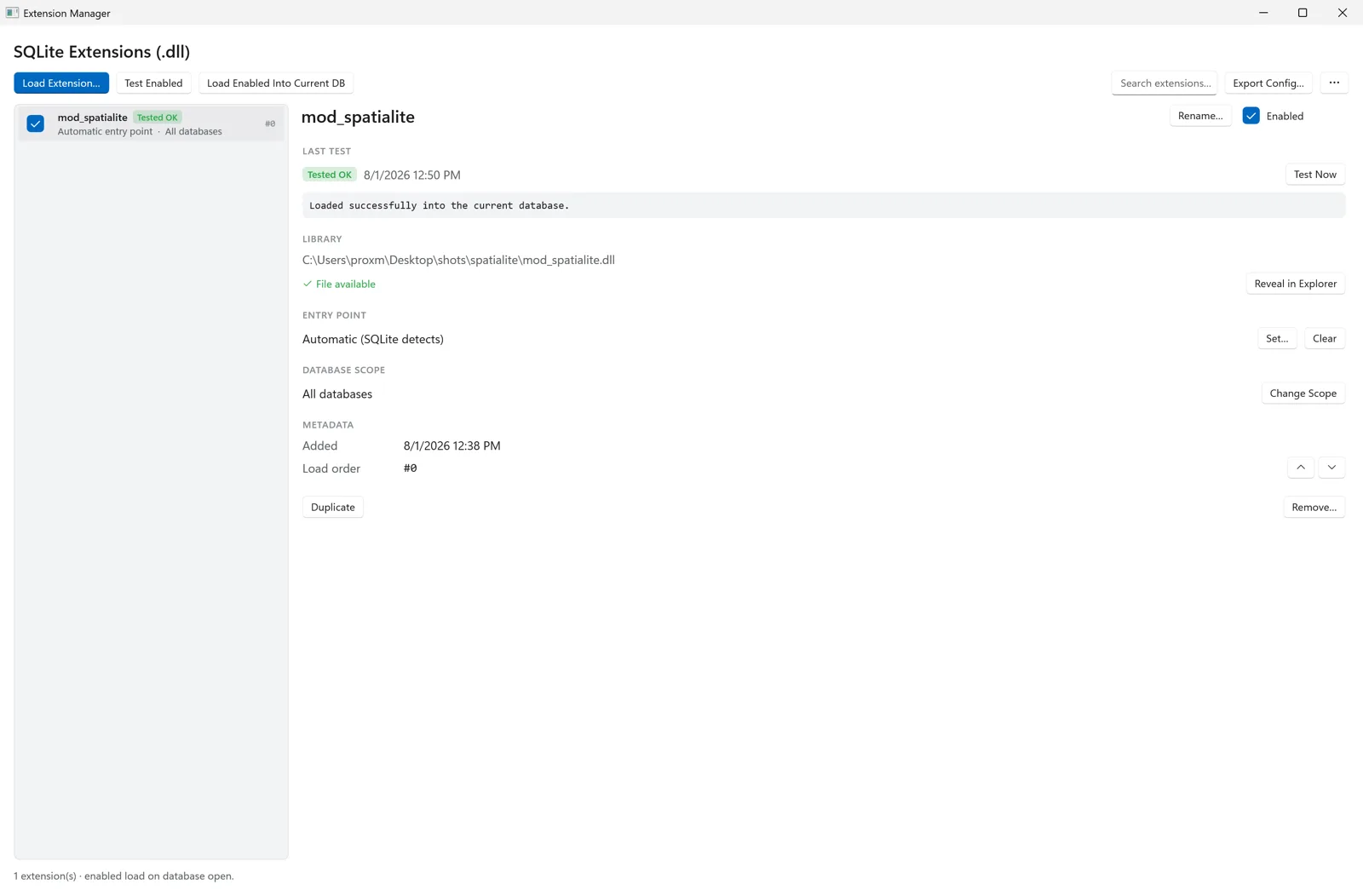
This is why I built Chwilio. Most SQLite GUIs won't load extensions at all, so spatial queries, vector search, and custom tokenizers have been stuck on the command line. Here every load runs a real pipeline — a trust prompt, dependency resolution, an explicit result and a manager window, plus an architecture check and a helper-process preflight on macOS — instead of a silent success or a crash.

The load path

  1. 01

    Import a .dylib or .dll

    Point Chwilio at a trusted library; it references your original file, never copies it. A one-time trust warning makes clear that extensions are native code. On Windows, an extension that ships its own dependency DLLs just works — no PATH surgery.

  2. 02

    Architecture preflight (macOS)

    Inspect the Mach-O header and fat-binary slices and refuse an arm64 ↔ x86_64 mismatch before any load is attempted. Windows has no equivalent pre-check — a wrong-bitness DLL surfaces as the loader's own error, rewritten by the diagnostics step below.

  3. 03

    Resolve the surroundings

    On macOS, strip com.apple.quarantine from user-owned files — which Chwilio can do because it ships unsandboxed for exactly this reason. On Windows, put the extension's own folder on the DLL search path so the dependencies it ships beside it are found.

  4. 04

    Helper preflight (macOS)

    Load it first in a separate helper process (the app with --chwilio-extension-preflight) against an in-memory database, with stdout/stderr captured and a timeout. A reliability guard, not a sandbox. On Windows the load goes straight into the connection.

  5. 05

    Load into the connection

    Enable extension loading, call sqlite3_load_extension with your entry point (or auto-detect), then disable loading again.

  6. 06

    Track per connection

    Record (connection · normalized path · entry point) so the same library is never double-loaded into one connection.

Every result is explicit

loaded

First successful load for a connection.

skipped

Already loaded for this connection, so it's deduplicated by identity.

failed

Loader error, wrong architecture, or a missing dependency, reported with a diagnosed message.

requires restart

The library was rebuilt at the same path. Neither macOS nor Windows can unload native code in-process, so Chwilio asks for a relaunch instead of running stale code.

Edge cases, handled

Entry point

Automatic detection by default; set an explicit sqlite3_yourext_init when a library needs one.

Database scope

Apply to all databases, none, or a chosen set, matched by normalized file path.

Load order

Reorder freely; extensions load in ascending order and renumber contiguously.

Missing file

If a library disappears, its entry is disabled and persisted, but kept visible so you know why.

Dependency diagnostics

“Library not loaded”, “image not found”, “wrong architecture” and Windows' catch-all “the specified module could not be found” are rewritten into actionable hints that point at the sibling libraries near the extension.

Persistence

Same config shape on both platforms, deduped by path + entry point and tolerant of older formats. macOS keeps it in UserDefaults and refreshes security-scoped bookmarks as they go stale; Windows is unsandboxed with plain paths, so it is plain JSON and needs neither.

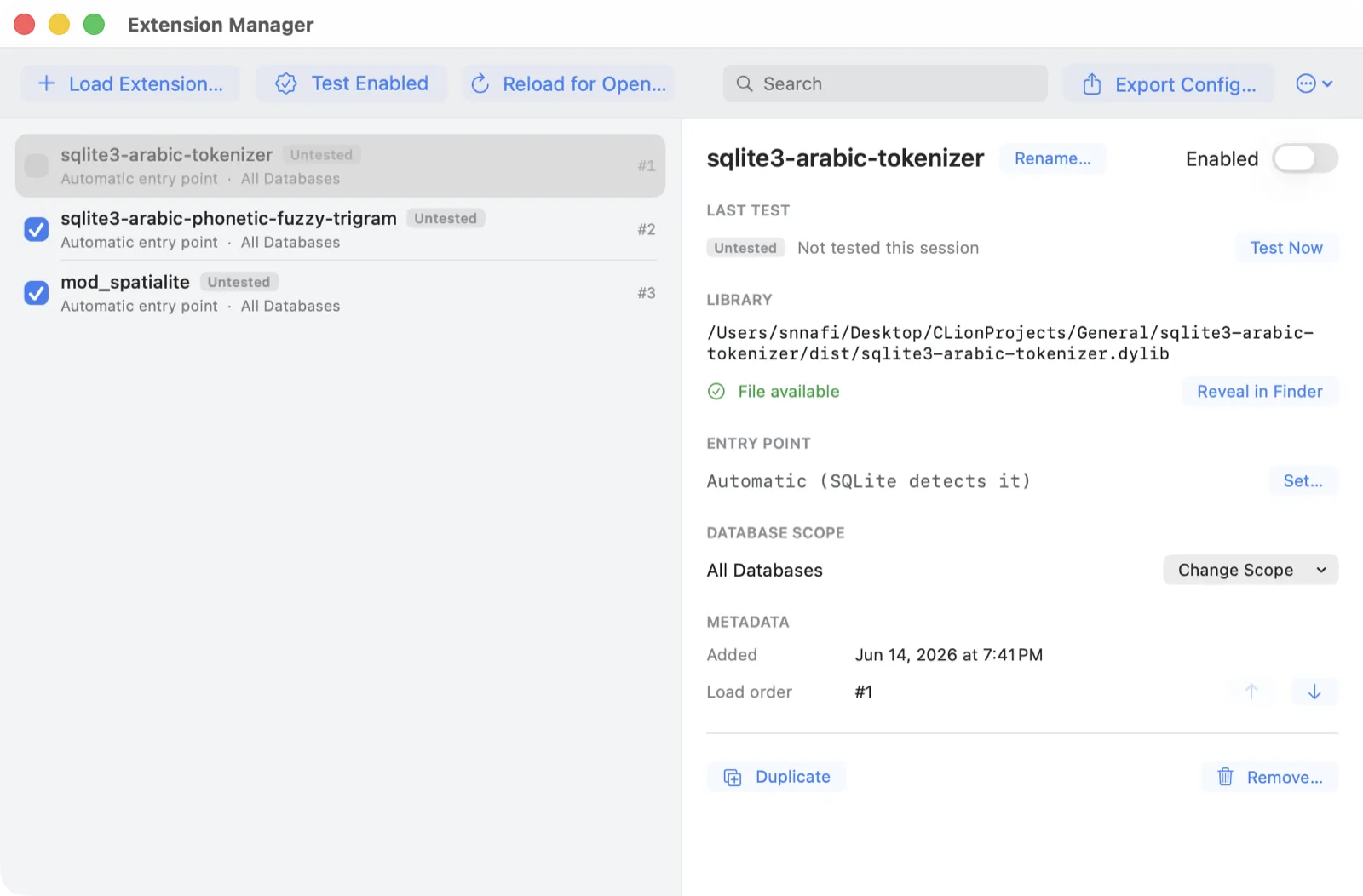
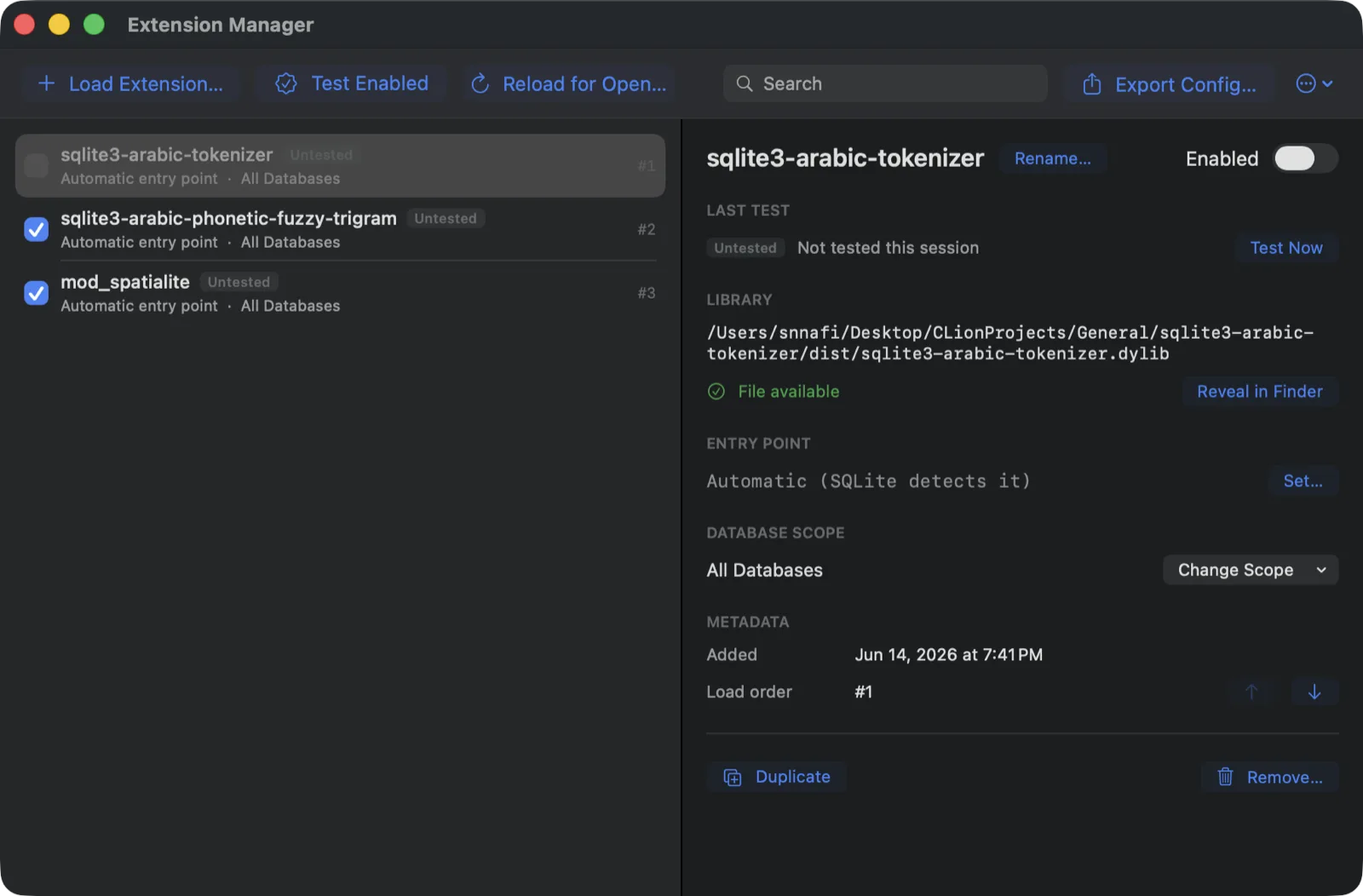
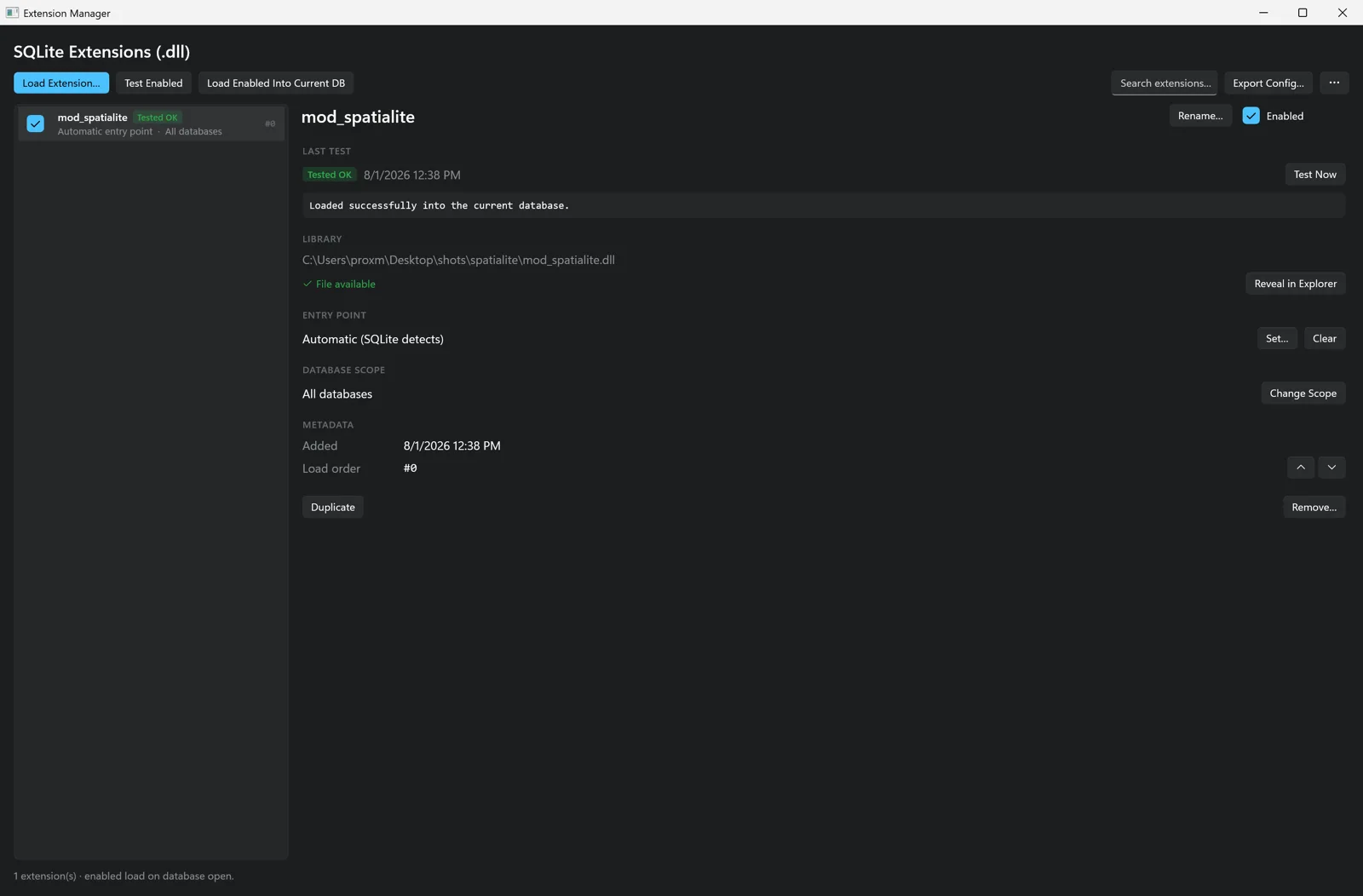
Chwilio's Extension Manager — loaded extensions with status badges, entry point, database scope, load order, and per-extension test resultsChwilio's Extension Manager — loaded extensions with status badges, entry point, database scope, load order, and per-extension test resultsChwilio's Extension Manager — loaded extensions with status badges, entry point, database scope, load order, and per-extension test resultsChwilio's Extension Manager — loaded extensions with status badges, entry point, database scope, load order, and per-extension test results
Encrypted variant

ChwilioCipher: the same app, with encryption built in.

A companion edition powered by SQLCipher. Open, create, and manage AES-256 encrypted SQLite databases with Chwilio's full feature set, and one license covers both editions on your machine.

  • Open encrypted databasesunlock SQLCipher .db / .sqlite files with a native passphrase prompt and an optional “remember” toggle — the macOS Keychain, or the Windows Credential Manager.

  • Plain files just workSQLCipher is a superset of SQLite, so unencrypted databases open with no prompt and no extra steps.

  • Create, encrypt & re-keymake a new encrypted database, encrypt an existing plain file, or change the passphrase in place, all from the menu.

  • Never plaintext on diskcopies, backups, and exports stay encrypted unless you explicitly choose a plaintext export; a lock badge marks encrypted databases.

  • AES-256, standard SQLCipher 4Page-level encryption from each platform's own vetted primitives — Apple's CommonCrypto on macOS, static-linked OpenSSL on Windows — with no extra crypto library to install either way. The files are standard SQLCipher 4, so a database encrypted on one platform opens on the other.

  • One seat, both editionsa license is per-machine, so activating it once unlocks Chwilio and ChwilioCipher on that machine — macOS or Windows — encrypted remote open included.

Pricing

Simple pricing. Every tier has the full app, extension loading included.

One year of updates and support in every tier. Higher tiers add seats, faster support, and early access. Nothing is locked behind a paywall.

Basic

For indie devs and occasional SQLite work.

$49one-time

1 seat

  • Full feature set
  • 1 seat, personal use
  • 1 year of updates & support
  • Stable channel
  • Email support

Team

For small teams and studios.

$149/ 3 seats

3 seats (min)

  • Full feature set
  • 3 seats minimum (≈$49/extra seat)
  • 1 year of updates & support
  • One-time purchase · buy again any time
  • Centralized billing & license manager
  • Team admin & priority support

Beta Beta is free. Pricing applies after launch. 50% off Basic and Standard for students, educators, and open-source projects. Ask through the contact form.

Prices in USD, VAT may apply. One-time purchase, no auto-renewal.

Join the beta.

Chwilio is in private beta right now. Sign up for early access and a say in what I build next. I read every reply.

I'll only email you about beta access and launch news. Here's the privacy policy.

Frequently asked questions

Why SQLite only?

So it can go deep. Supporting one database instead of ten means Chwilio can handle file-based workflows, extension loading, virtual tables, FTS, WAL, pragmas, and safe editing properly, rather than at the shallow level a multi-database client tends to settle for.

How safe is loading extensions?

Extensions are native code (.dylib on macOS, .dll on Windows), so only load ones you built or trust. Chwilio warns before it arms one, preflights each load, and explains common failures — but that guards the app's reliability, not your privacy. A malicious extension is still native code running on your machine.

Is it on the Mac App Store?

No. Loading extensions from wherever you keep them means running unsandboxed, which the App Store forbids. So Chwilio ships outside the store, signed with a Developer ID and notarized by Apple.

Which versions of macOS and Windows are supported?

macOS 15 and later on both Apple Silicon and Intel, and 64-bit Windows 10 (1709+) or Windows 11. Both are native — AppKit on macOS, WinUI 3 on Windows — with no Electron and no web views for the core UI. The Windows installer is self-contained, so there's no .NET or runtime to install first.

Windows or Linux?

Windows is here, in beta. It's a native WinUI 3 app sharing the same Swift engine as the Mac version, so browsing, the change set, the SQL editor, schema editing and extension loading behave the same on both. Linux isn't planned in the short term — the engine already ports, but the shell and packaging are the real work.

Windows warns me the app isn't recognised. Is that normal?

Yes, during the beta. The Windows installer isn't Authenticode-signed yet, so SmartScreen shows "Windows protected your PC" the first time you run it — choose More info, then Run anyway. Code signing is the last item before the Windows build leaves beta.

What's the pricing model?

Three tiers: Basic ($49), Standard ($79, normally $99), and Team ($149 / 3 seats). All tiers are one-time purchases with the full feature set; the difference is seats, support tier, and beta-channel access. Every tier includes one year of updates and support, and you can buy again any time at a reduced existing-customer price (Basic $29, Standard $49, Team $99) for another year. A free trial arrives at launch; the beta is free today.

Is there an education / open-source discount?

Yes. 50% off Basic and Standard for students, educators, and open-source maintainers. Ask through the contact form and I'll set it up.